
1980s Photo Prompts: 3 Looks to Copy
Build a nostalgic portrait, a coordinated couple photo, or a denim street look with three copyable prompts and practical editing notes.
A good 1980s photo prompt starts with a specific photographic direction: the clothes, the light, the backdrop, and the finish. These three recipes give you a studio portrait, a two-person portrait, and a denim street look to adapt to your own source.
1. Soft studio portrait
Explore a restrained studio portrait. Adjust the jacket color and backdrop to suit your subject while keeping the face central to the composition.
Create an understated 1980s-style studio portrait using the uploaded photograph as the identity reference. Retain the subject’s age, complexion, gaze, and expression, and keep the camera framing close to the original. Introduce a softly structured teal jacket over a light neutral blouse, with modest volume in the hair. Place the subject in front of a quiet blue-gray studio background with a gently mottled texture. Use broad, diffused frontal light, natural skin detail, subtle film grain, and the slightly warm color of a printed photograph. Keep the eyes well defined. Produce one coherent image without captions, date stamps, logos, decorative borders, or exaggerated neon effects.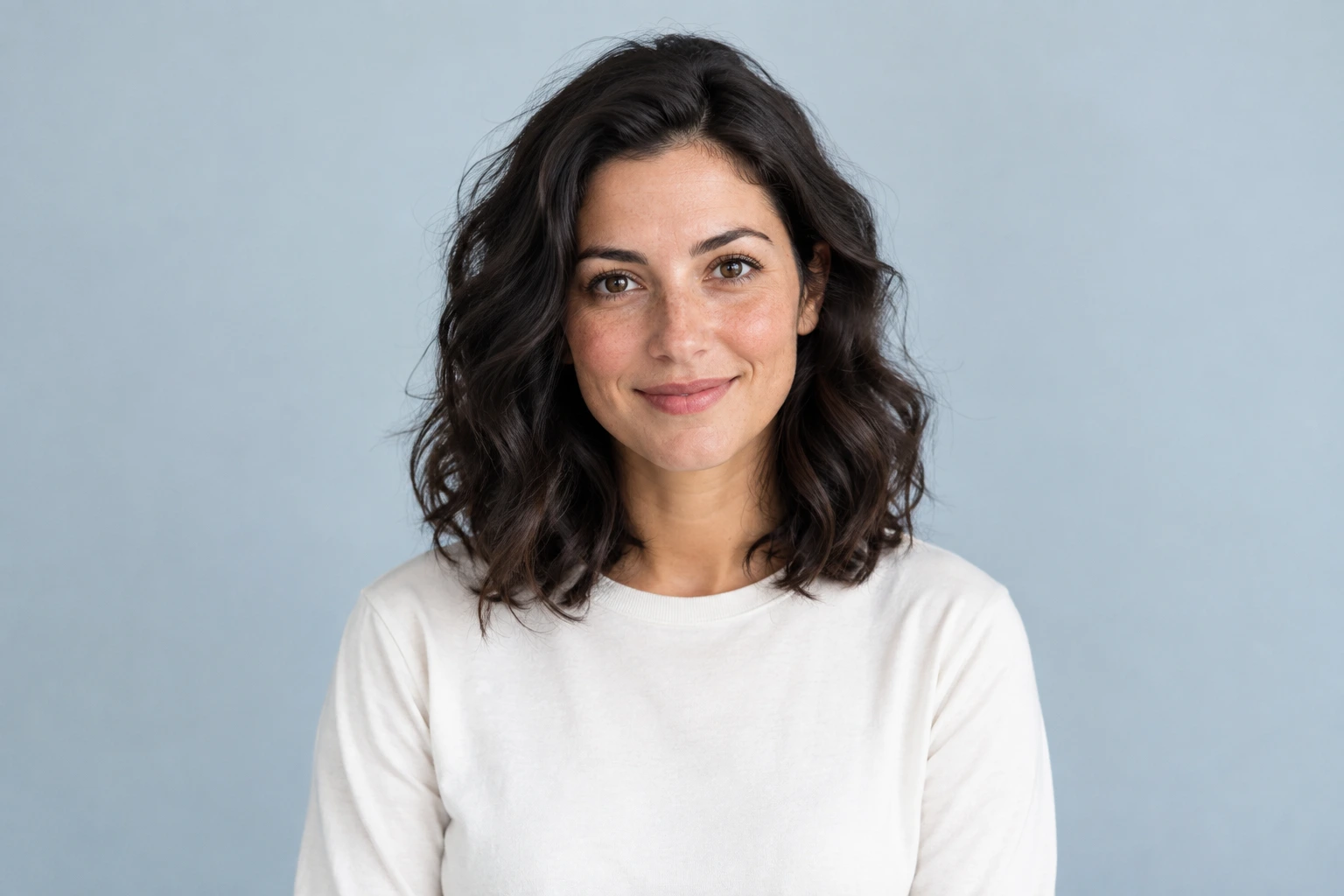
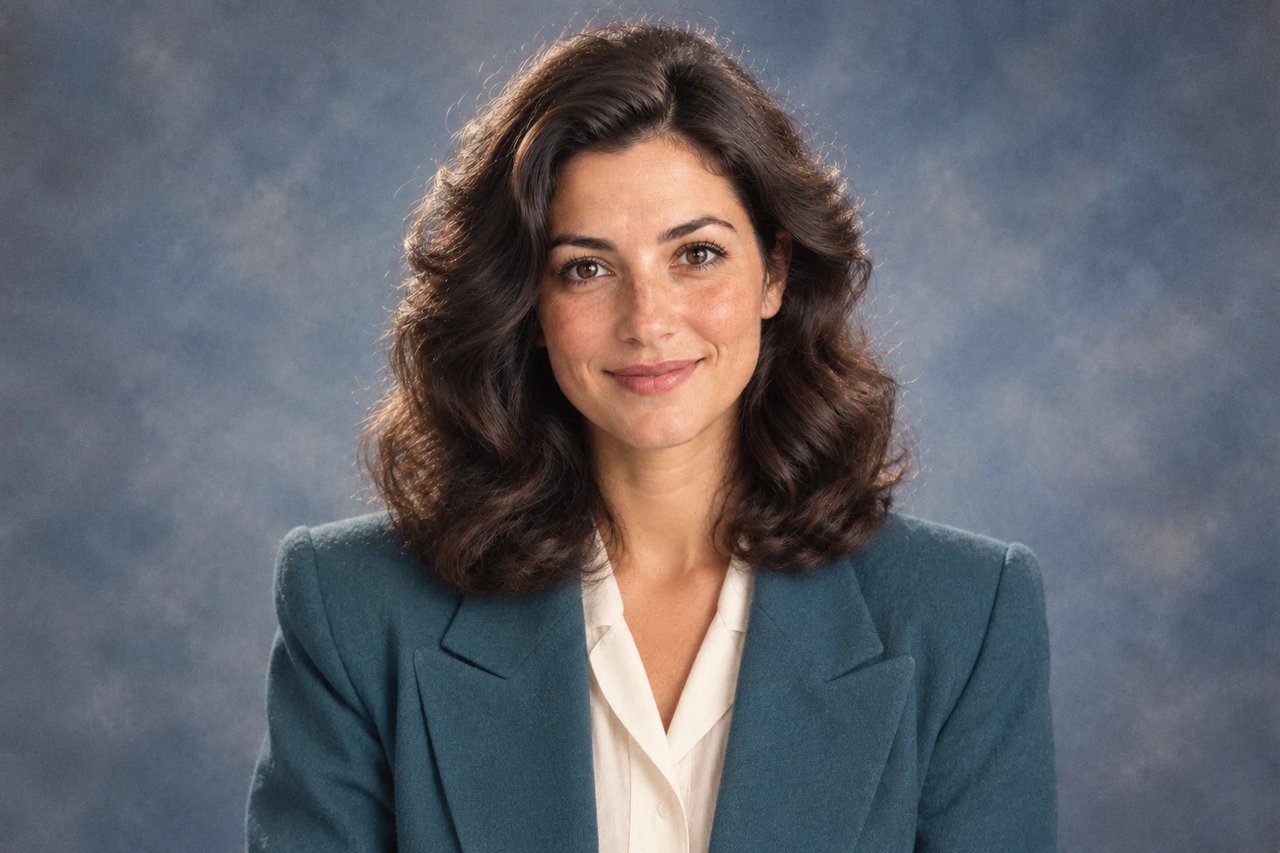
The first direction uses a gently mottled backdrop, broad front light, a structured teal jacket, and a little extra hair volume. It feels like a studio photograph rather than a graphic poster.
Identity is the first constraint. Ask the model to retain the person’s expression, apparent age, complexion, and framing before describing clothes or film texture. A clear face gives the edit a stronger anchor than a heavily compressed or shadowed source.
For a quieter result, reduce hair volume and grain before changing the entire prompt. The jacket color and backdrop are useful variables to adjust while keeping the rest of the direction stable.
2. Coordinated couple photo
Use a source that clearly shows both people. This direction keeps their relationship and expressions while introducing coordinated vintage styling.
Use the uploaded photograph of two adults to make a nostalgic studio portrait with a quiet 1980s mood. Keep each person recognizable, preserving their relative positions, facial expressions, skin tones, and apparent ages. Restyle the clothing with comfortable cream and muted rose knitwear, softly shaped shoulders, and a little period-appropriate fullness in the hair. Surround them with a warm neutral photography backdrop rather than adding props. Light both faces evenly so neither subject falls into deep shadow. Give the image a gentle printed-film color palette and fine photographic grain while keeping skin texture believable. Retain natural hands and body proportions. Do not introduce additional people, lettering, watermarks, or a decorative frame.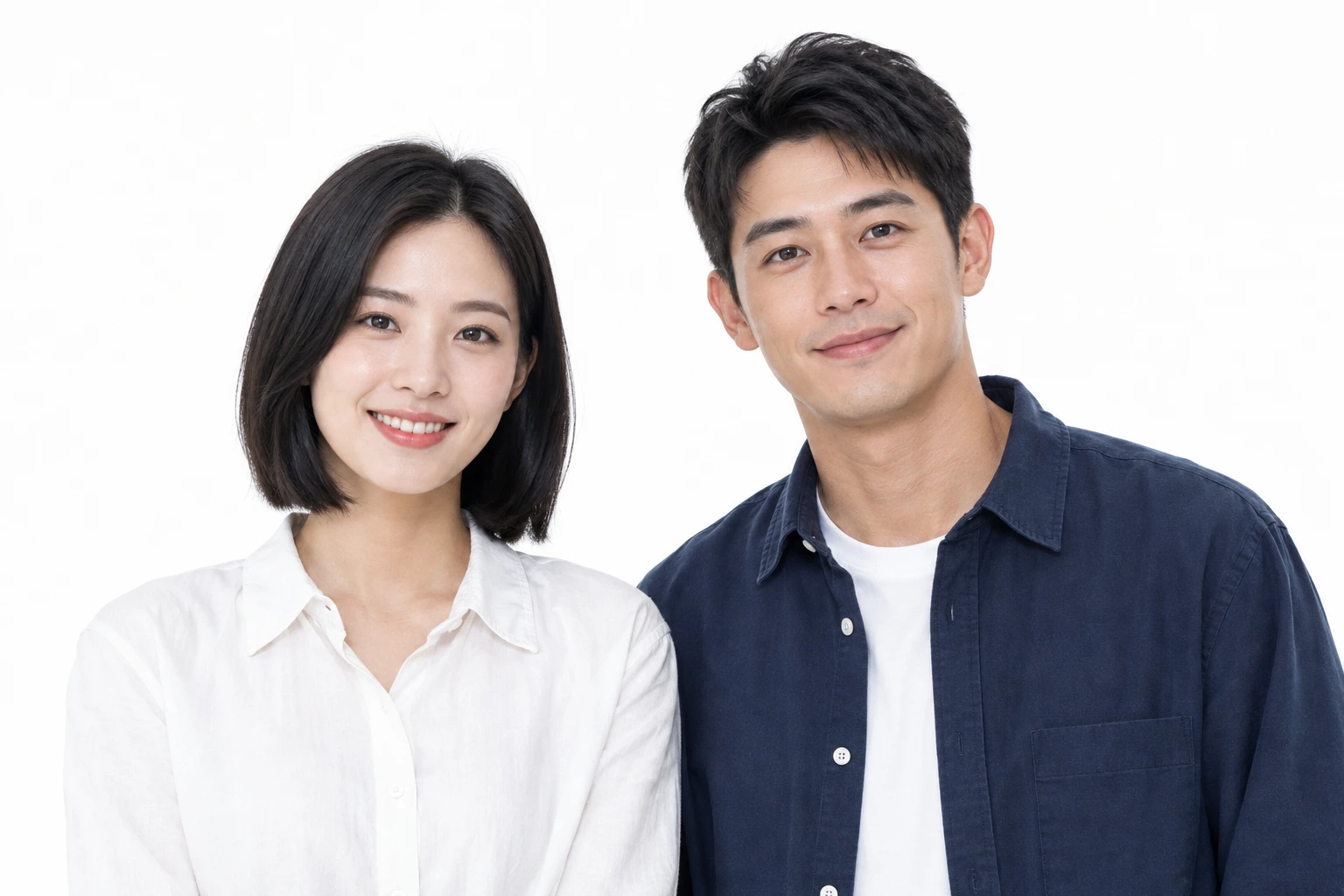
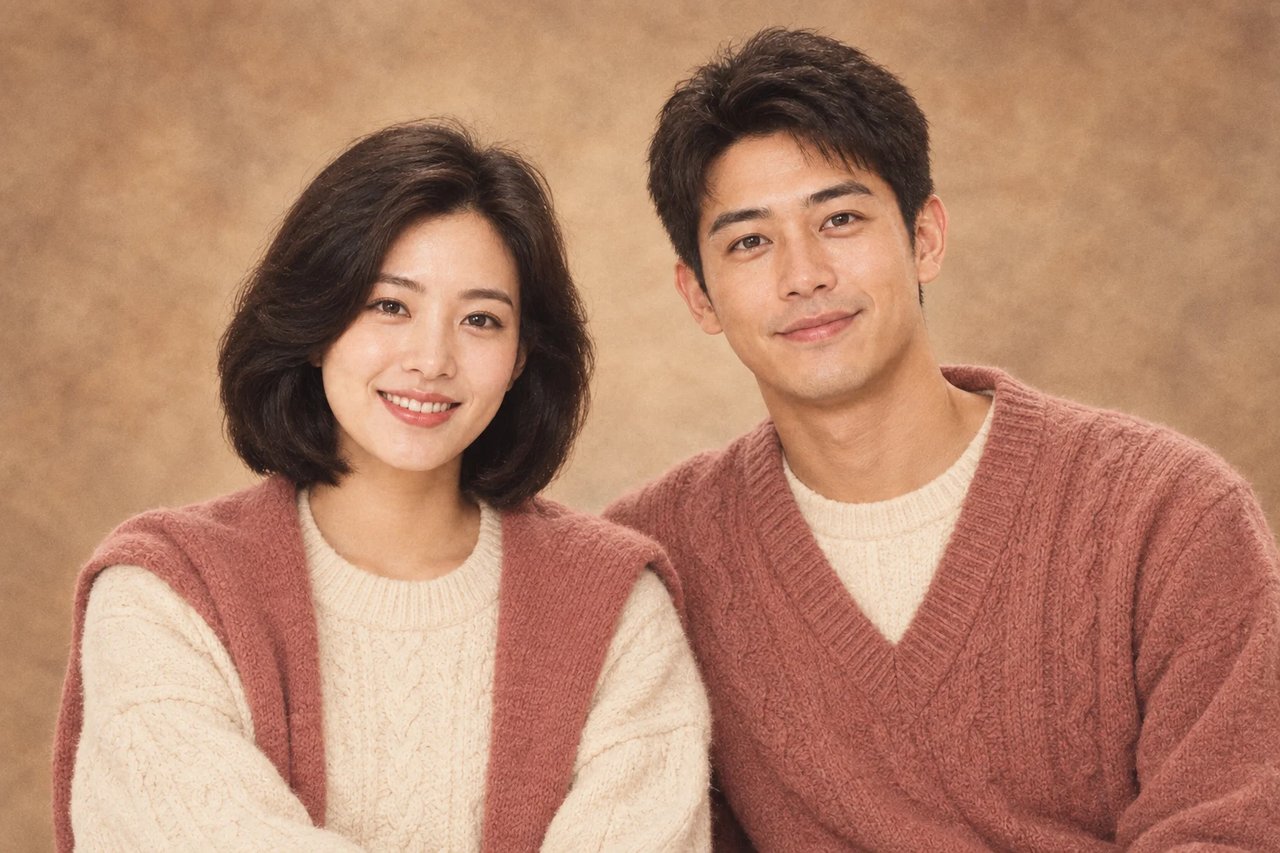
Coordinated knitwear, a warm neutral backdrop, and even lighting give this two-person direction a familiar family-studio mood. Clothing supports the relationship between the subjects without adding an unrelated story.
Use a source where both faces are readable. Explicitly preserve the people’s relative positions, expressions, and skin tones, and review them separately after generation. Similar styling should not make their faces or proportions converge.
Hands, overlap, and shared clothing edges deserve a close inspection. If one person changes more than the other, name that person’s position and the detail to protect in a smaller follow-up edit.
3. Denim street outfit
Choose a waist-up or full-body reference so the jacket and proportions remain visible. Keep the original location to give the styling some context.
Rework the clothing in this adult street portrait into a believable 1980s denim look. Preserve the face, expression, age, natural body proportions, and relaxed stance from the uploaded image. Build the outfit around a generously cut, lightly faded denim jacket, a simple cream T-shirt, and higher-waisted blue jeans. Keep the surrounding brick street and the camera viewpoint recognizable. Follow the original direction of daylight rather than adding dramatic studio lighting. Introduce a restrained warm film palette, slightly softened dark tones, and fine grain, with enough detail to keep the face clear. The finished result should read as one fashion photograph. Avoid costume exaggeration, neon graphics, text, logos, timestamps, borders, and extra subjects.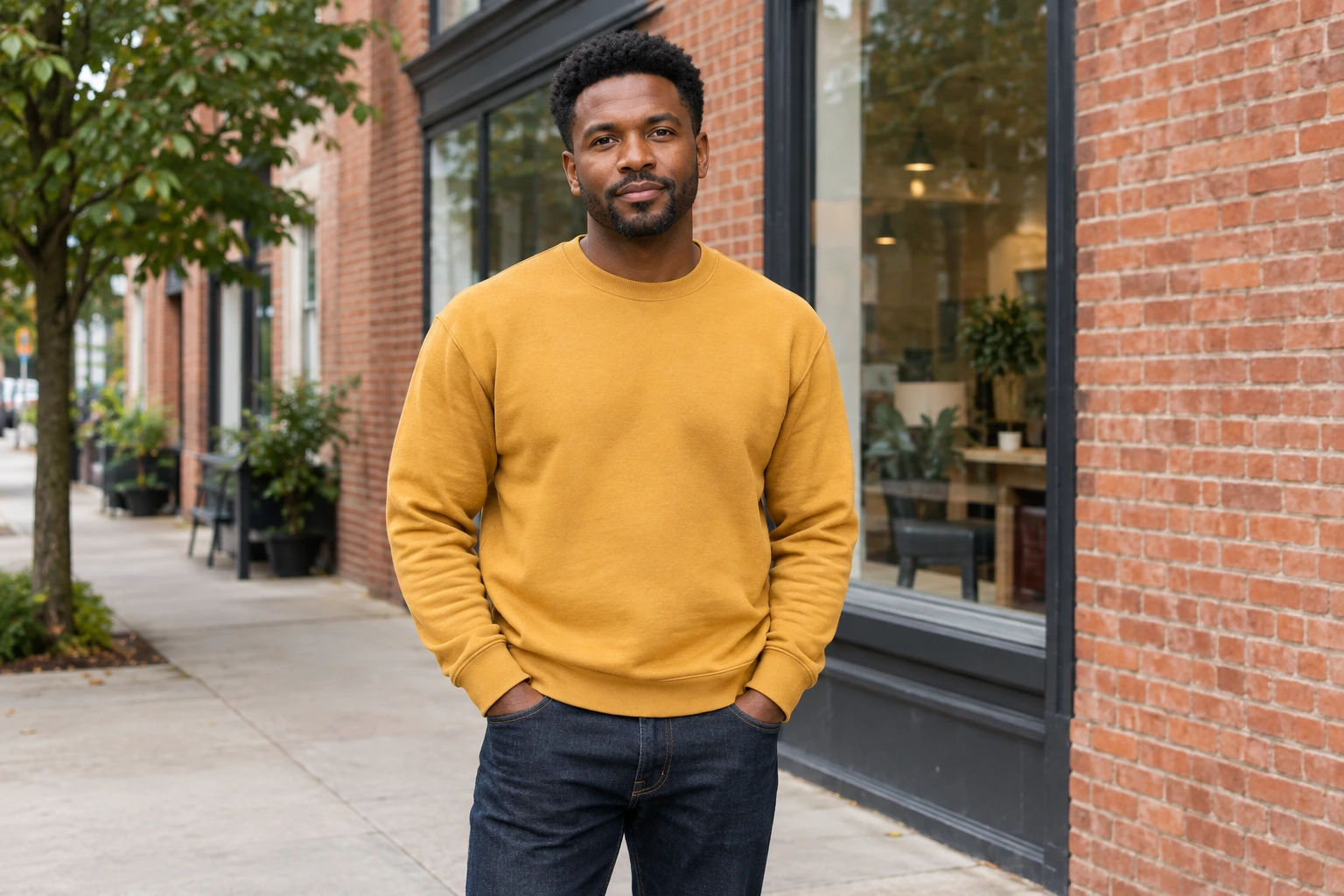
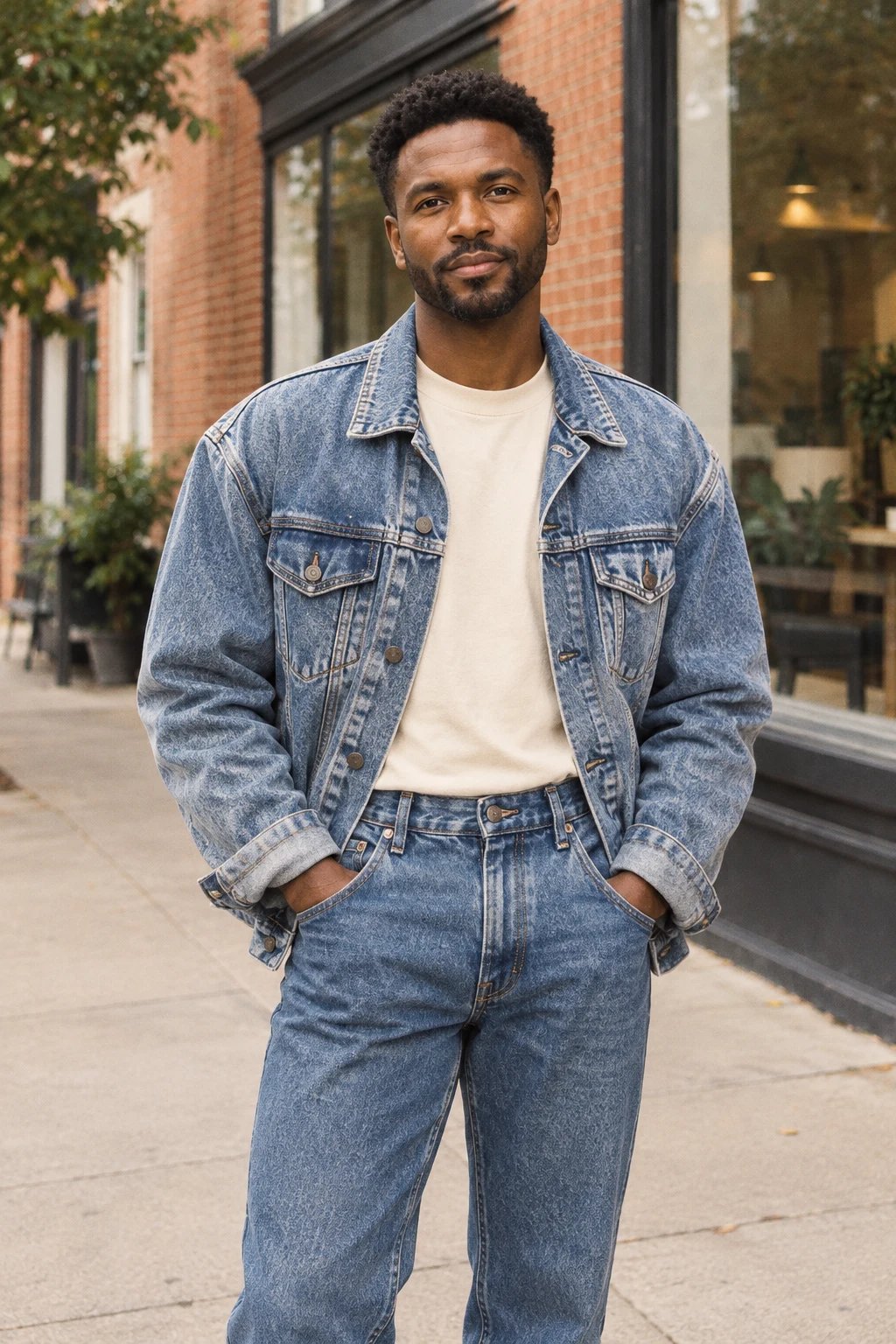
The third direction changes wardrobe while keeping the outdoor setting and daylight recognizable. A relaxed denim jacket, a plain shirt, and higher-waisted jeans supply the period cues.
Choose a waist-up or full-body source so the model can see the outfit and stance. Preserve the face, camera angle, and body proportions, then specify garment cut, fabric, and fit rather than asking for a broad makeover.
Look at seams, pockets, hands, and the transition between jacket and shirt. A convincing retro outfit still needs coherent construction, natural body proportions, and light that belongs to the street.
How to use these prompts in Dola AI
- Choose your source and direction
Open AI Image and add a clear reference image. Pick the recipe closest to the photograph you want, then copy its prompt. Use an image you are permitted to edit and keep the original file.
- Set up one controlled edit
Select GPT Image 2.5, start at 1K, choose an aspect ratio that suits the source, and request one result. Paste the recipe, then adjust the clothing and background details you actually want. Check the displayed credit cost before selecting Create.
- Review the result before refining it
Compare the face, hands, stance, crop, and clothing against the original. Change one weak detail at a time. Save a version you like in Assets and download it when the edit is ready for its intended use.
Writing a better retro photo prompt
Write what must stay first. Identity, expression, age, body proportions, pose, and the camera viewpoint are useful constraints for an image edit. Then describe the changes as a short set of visible decisions: jacket shape, hair volume, backdrop color, light direction, and photographic finish.
Choose a small palette and one lighting idea. Warm printed-film color and fine grain work differently from neon lights and heavy blur. If the goal is a family portrait, avoid terms that steer the model toward concert posters, science-fiction art, or an exaggerated costume.
Keep exclusions focused on likely problems. Ask for no extra people, logos, date stamps, lettering, or frames when those details would interfere with the photograph. A long list of unrelated prohibitions can make the main direction harder to read.
Common problems and what to adjust
| What you notice | What to adjust |
|---|---|
| The face changes too much | Use a clearer source, state the identity details to preserve, and reduce the number of requested changes. |
| The look becomes a costume | Name believable fabric and garment cuts. Reduce oversized hair, neon, and exaggerated shoulder shapes. |
| Film texture hides the subject | Request fine grain, defined eyes, natural skin detail, and a restrained photographic finish. |
| Two subjects blend together | Identify each person by position and protect their individual expression, face shape, and clothing. |
| The background changes unnecessarily | Keep the original setting and light direction explicit while limiting the edit to clothes and color. |
Retro styling and photo restoration are different goals
These recipes create an interpretation of an era. They can change wardrobe, hair, backdrop, color, and texture, so the output is a new creative image. A vintage-looking result does not document how a person or place actually looked in the 1980s.
Restoration starts from another brief: repair damage while preserving the historical source. If you are working with a family archive, keep an untouched master, name the specific damage to repair, and avoid letting a style prompt invent details that were never in the photograph.
Reference materials and conditions
The source photographs and styled example images on this page are reused from Zanta’s public 1980s photo guide and its 80s Filter reference materials. They show the visual directions discussed here. They are not results generated or tested through Dola AI.
The three prompt recipes are editable starting points adapted for this guide. The source/result pairs illustrate a style, rather than proving that these exact prompts or the suggested local settings produced the displayed pictures. Your model, source image, settings, and output may differ. The generator shows the current cost before each request.
Frequently asked questions
Do I need to upload a photo?
A reference image is the best starting point when you want a particular person, pose, or location to remain recognizable. You can also adapt the recipe for a new text-to-image concept, but it will not preserve a person who was never supplied as a reference.
Can I use one prompt for every source?
Start with the recipe, then adapt framing, clothes, light, and background to the actual source. A full-body fashion photo and a close face portrait need different constraints.
Does 1K guarantee the reference look?
No. Resolution controls output size; it does not guarantee identity, styling, or exact matching. Review the result and refine the visible details that matter.
Where can I try a preset instead?
Open the 80s Photo Filter for a fixed style preset, or use AI Image when you want to choose your own model and edit the complete prompt.