Skip to content

AI Action Figure Generator

Effect

Action FigurePortrait to collectible concept
0/1 max

Result

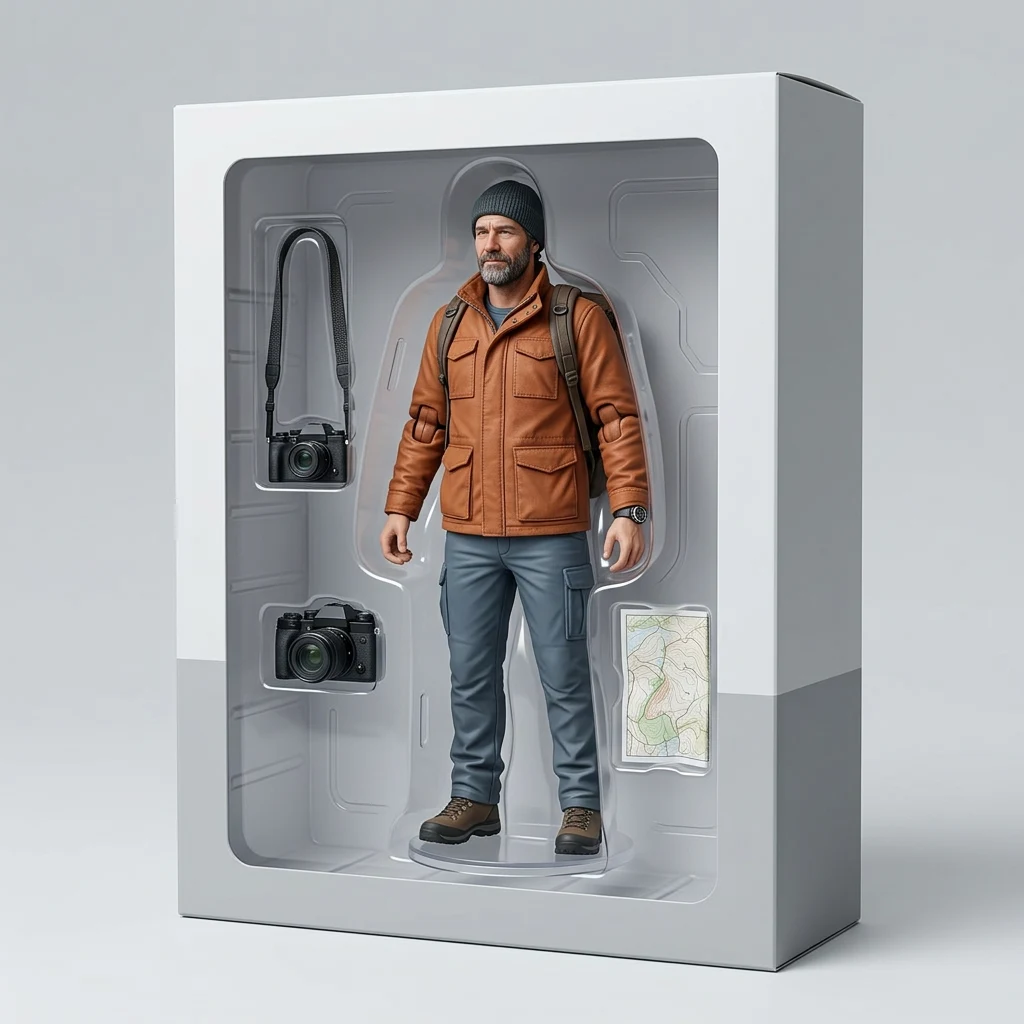
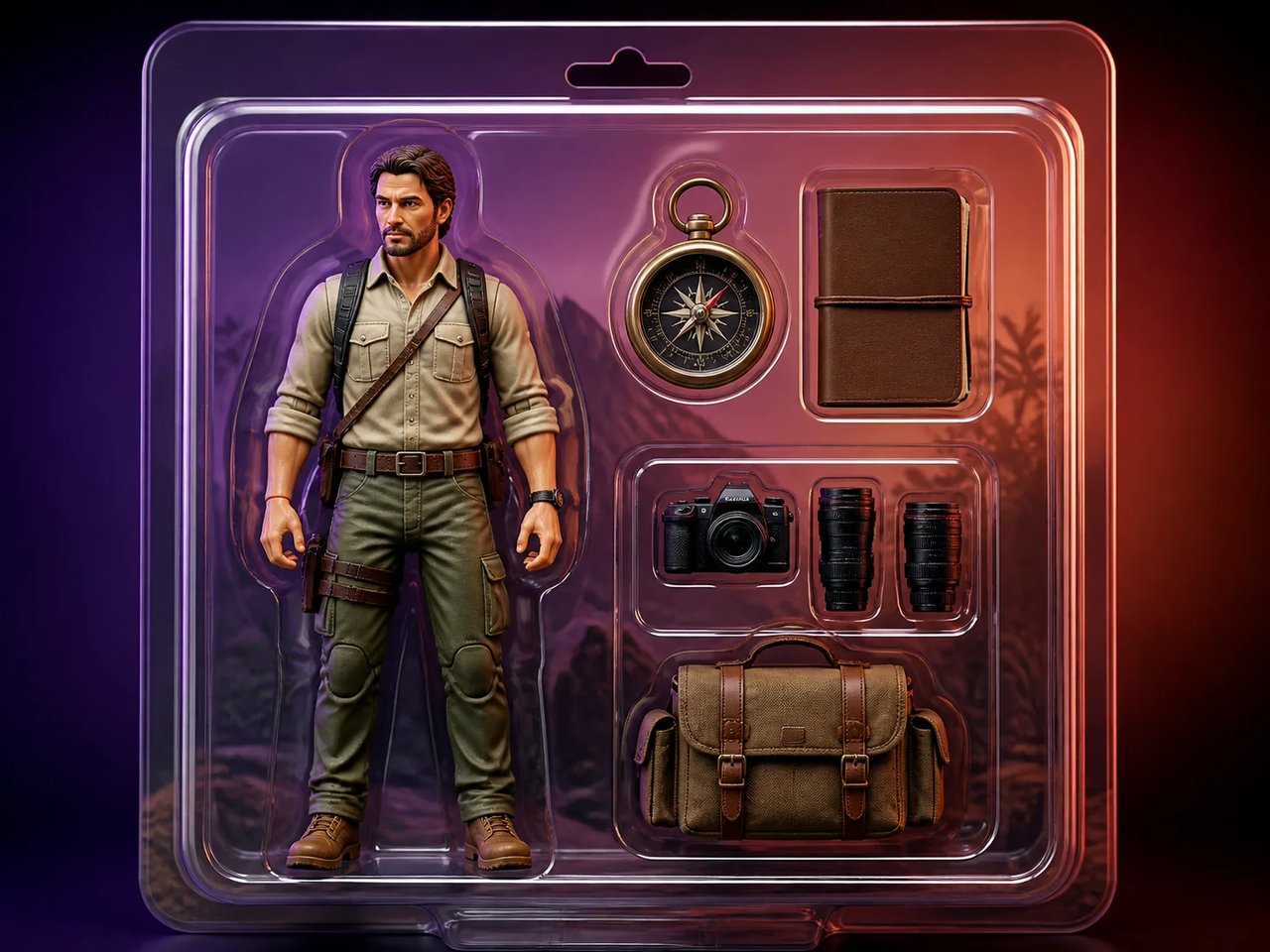
An explorer collectible concept with camera and field accessories.

Source-to-result examples

Photo to Action Figure Examples

Three source photos show different collectible directions: an outdoor photographer, a researcher, and a pet. Clothing, accessories, body shape, and markings guide each illustrated figure. The result is a visual concept rather than a physical toy or a manufacturing file.

  1. 01A portrait provides the clothing and pose for a molded, articulated figure concept.
  2. 02An animal’s markings and accessories can guide a playful collectible presentation.
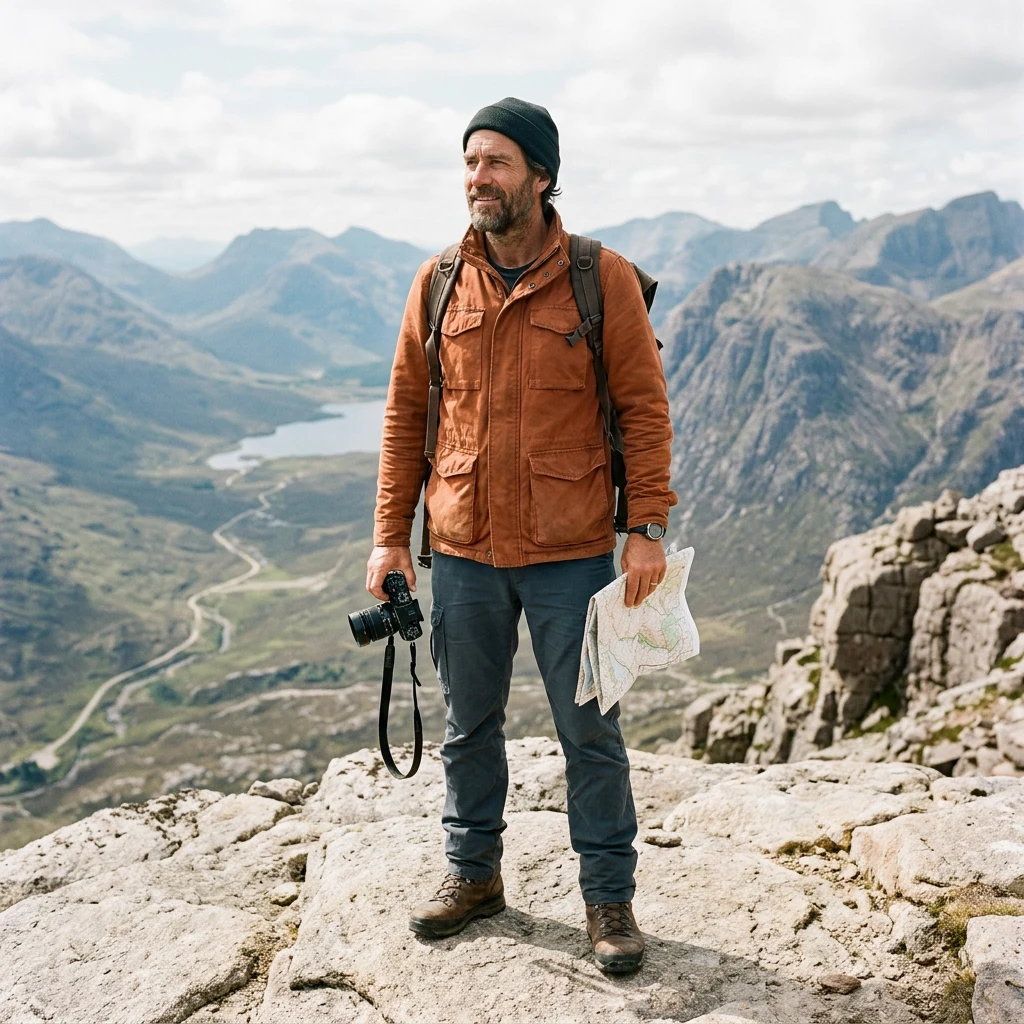
An adult wilderness photographer in a burnt-orange field jacket holding a camera and folded map on a mountain overlook.
The same wilderness photographer transformed into an articulated collectible figure inside an unbranded collector box with camera and map accessories.

Drag the divider or use the arrow keys to compare the same source photo with its generated result.

Explorer collector box

Compare the familiar outfit, silhouette, and accessories with their interpretation as a collectible display concept.
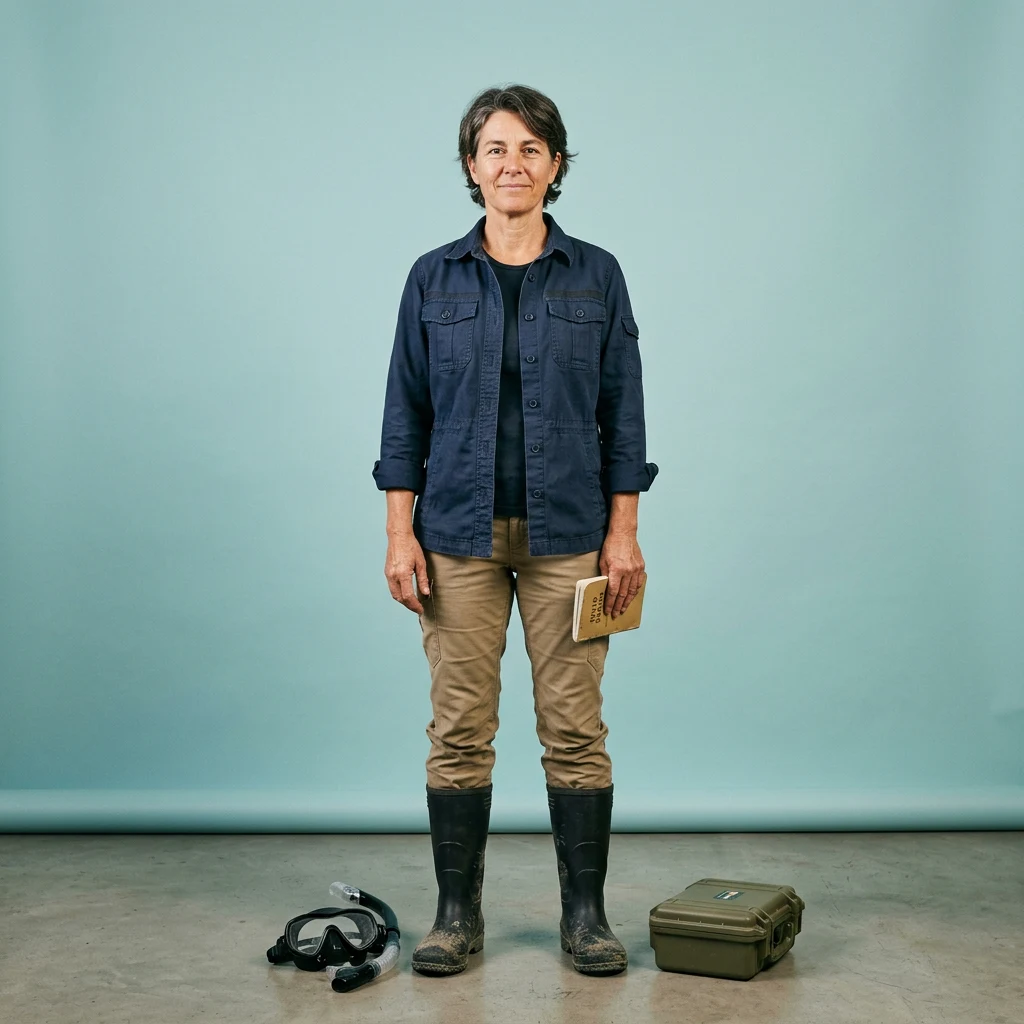
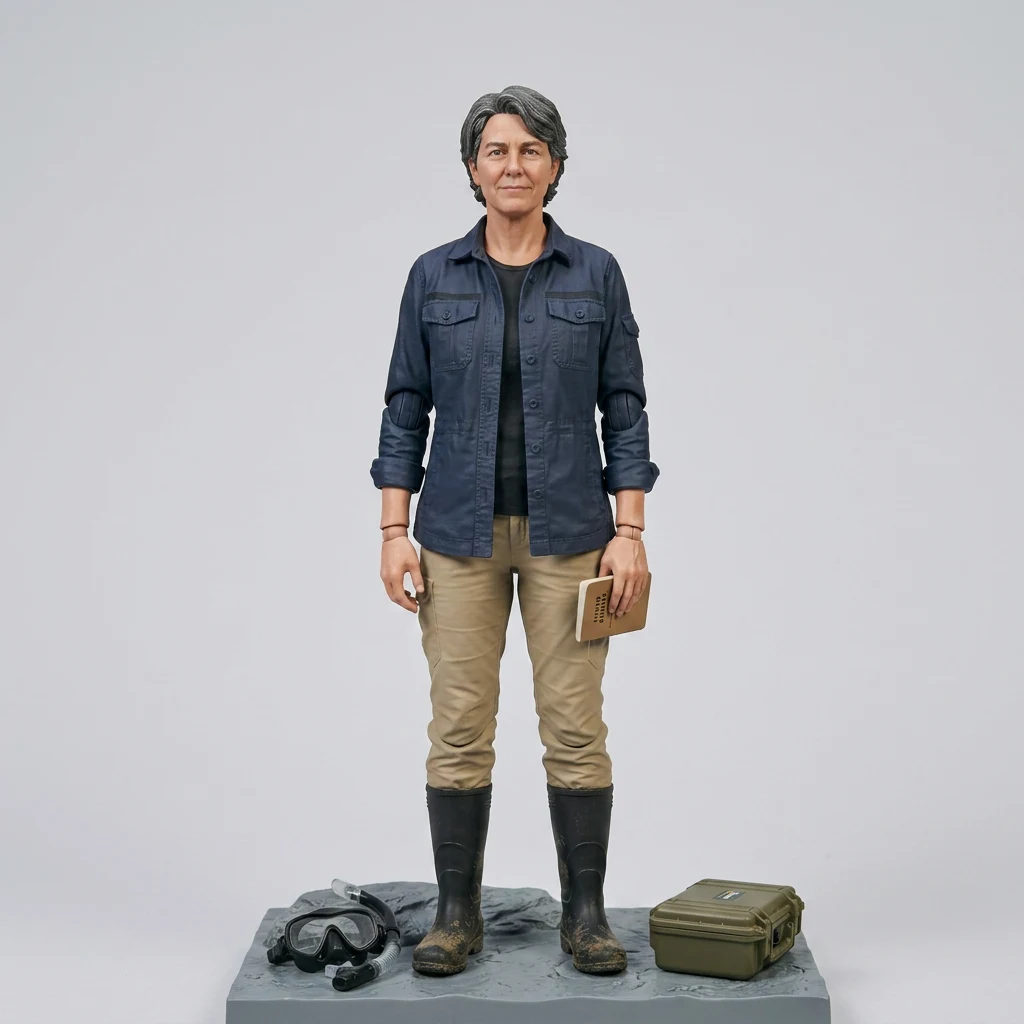
An adult marine field researcher in navy and sand field clothing with a notebook, diving mask, and specimen case.
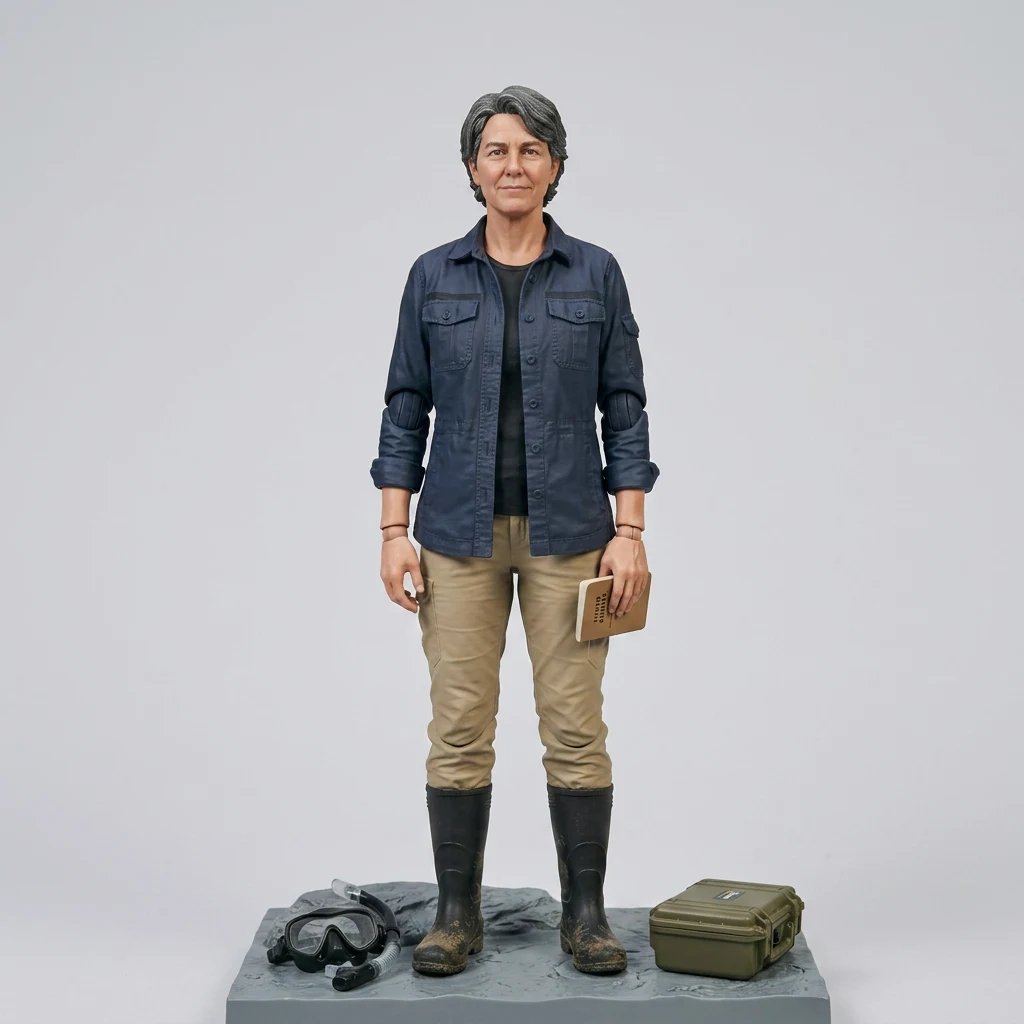
The same marine field researcher transformed into an articulated display figure with the original notebook, diving mask, and specimen case.

Drag the divider or use the arrow keys to compare the same source photo with its generated result.

Researcher display figure

Compare the familiar outfit, silhouette, and accessories with their interpretation as a collectible display concept.
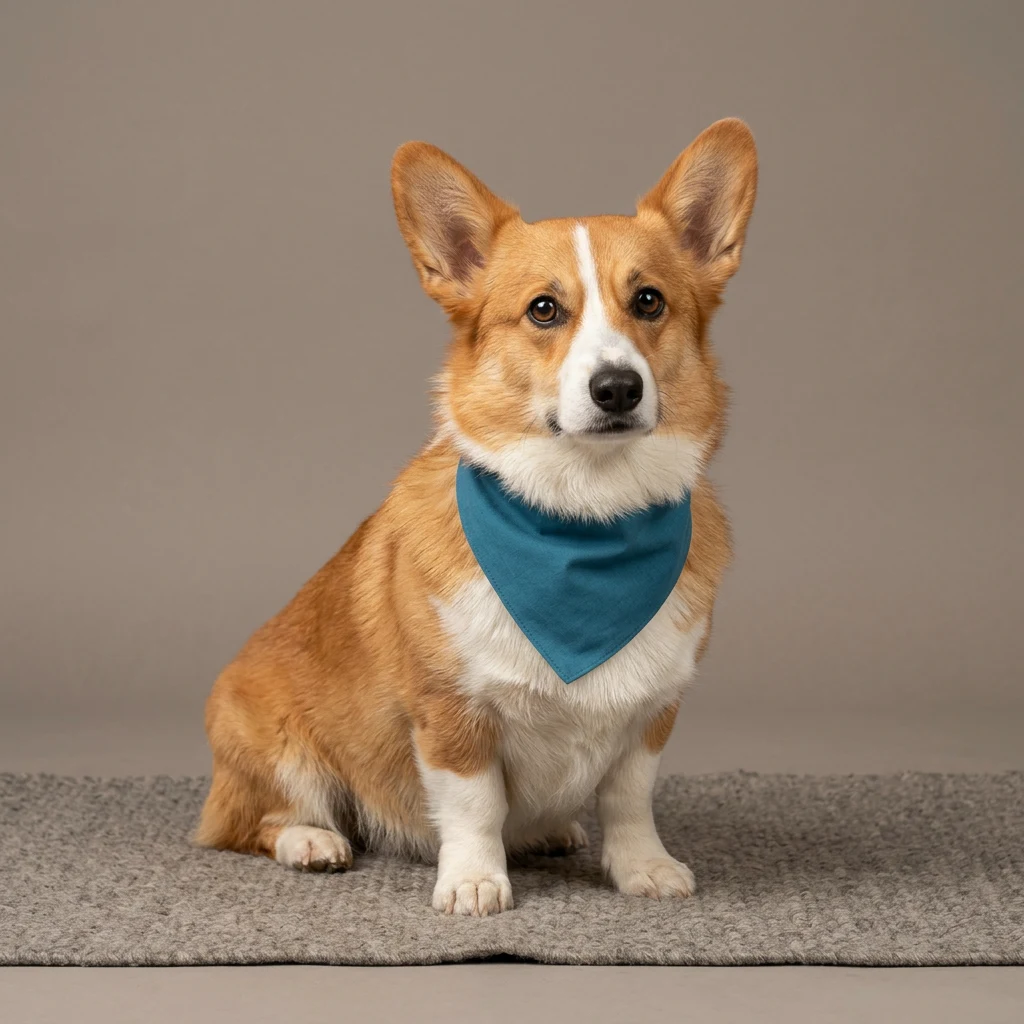
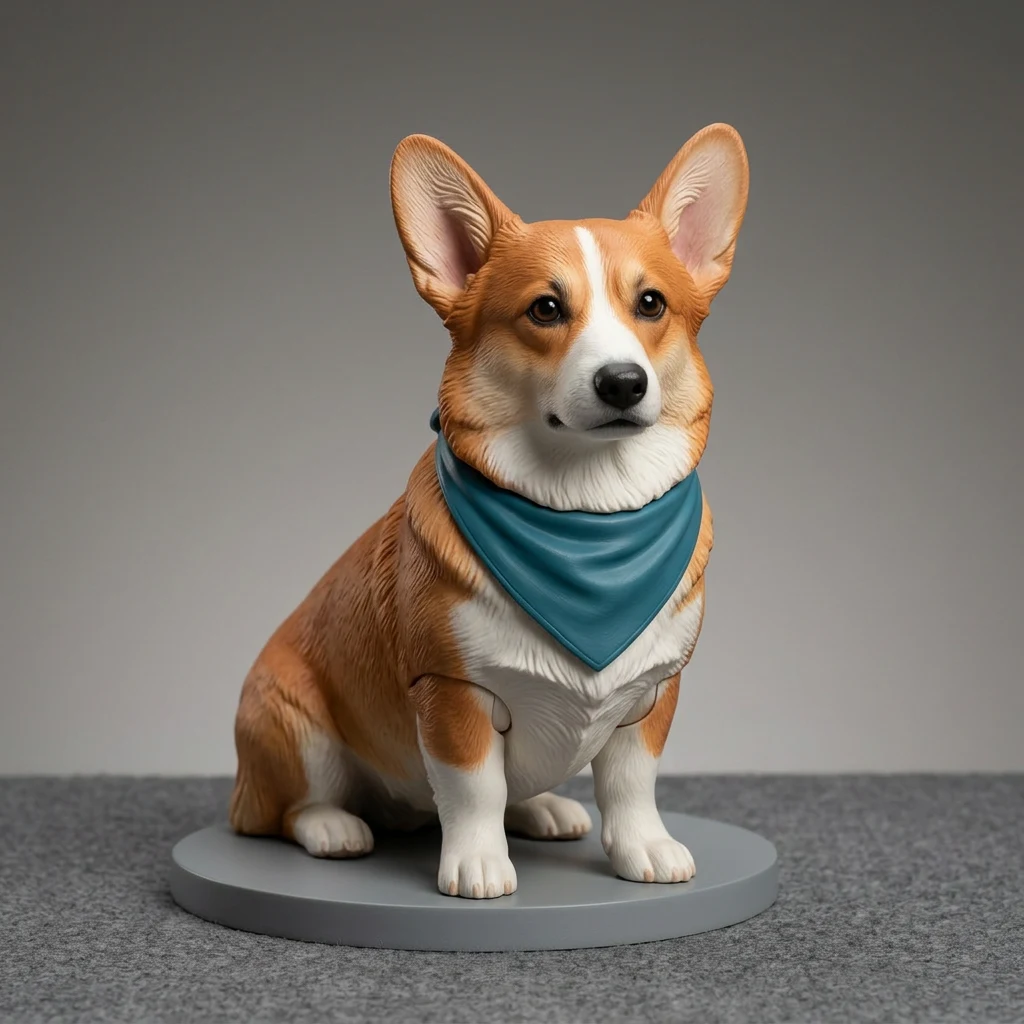
A copper-and-white corgi wearing a plain teal bandana in a clean studio portrait.
The same corgi transformed into a painted collectible pet figure on an unbranded display base while retaining the coat pattern and teal bandana.

Drag the divider or use the arrow keys to compare the same source photo with its generated result.

Corgi collectible

Compare the familiar outfit, silhouette, and accessories with their interpretation as a collectible display concept.
Source preparation

Choose Your Character Photo

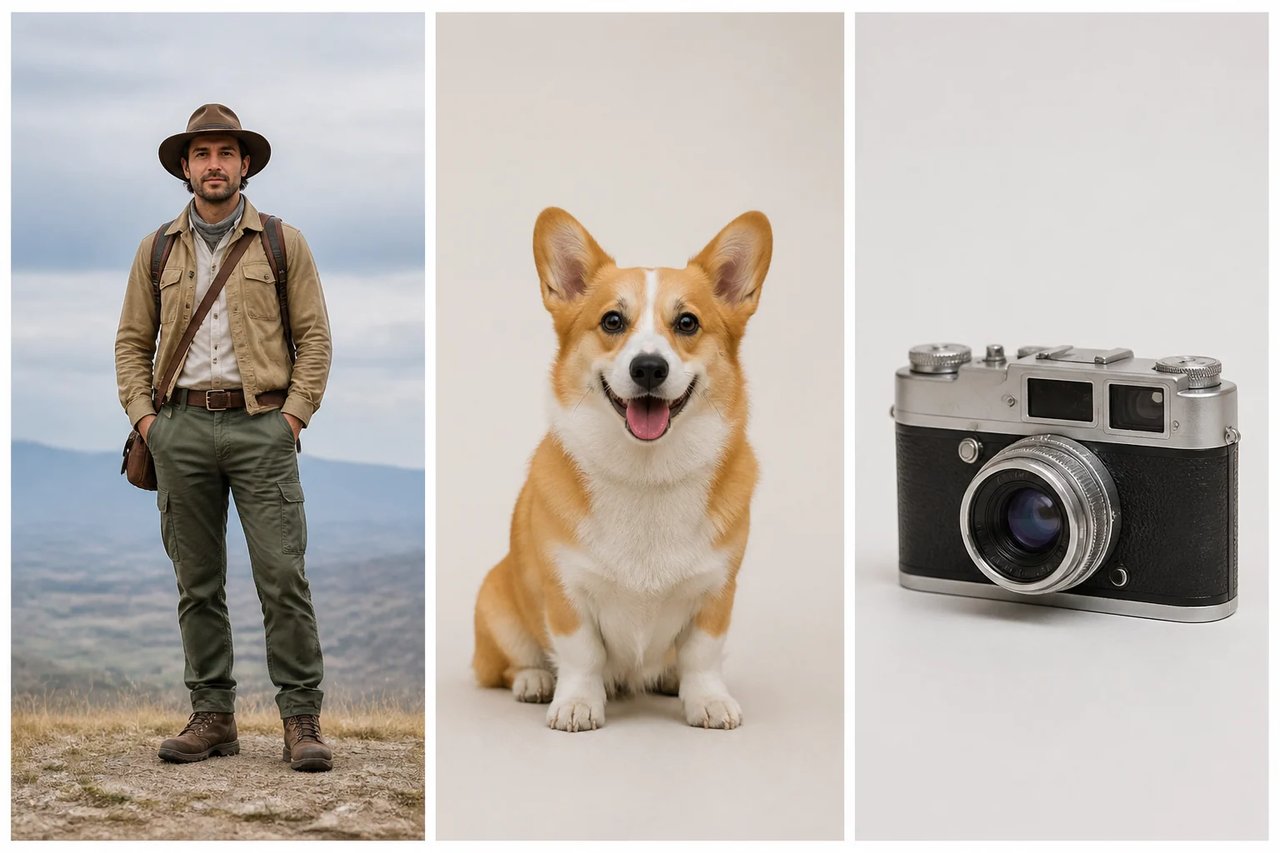
Frame one subject against a simple background. Show the outfit and pose in a full-body view, or facial detail in a portrait. Keep key character accessories visible.

  1. 01Keep limbs and the main silhouette visible rather than obscured by other subjects.
  2. 02Select a source photograph that you are entitled to use for this project.
Three clean AI Action Figure Generator source compositions: a full-body outdoor explorer, a seated corgi with visible silhouette, and a retro camera product with separated details.

Honest deliverable

A Collectible Concept to Build On

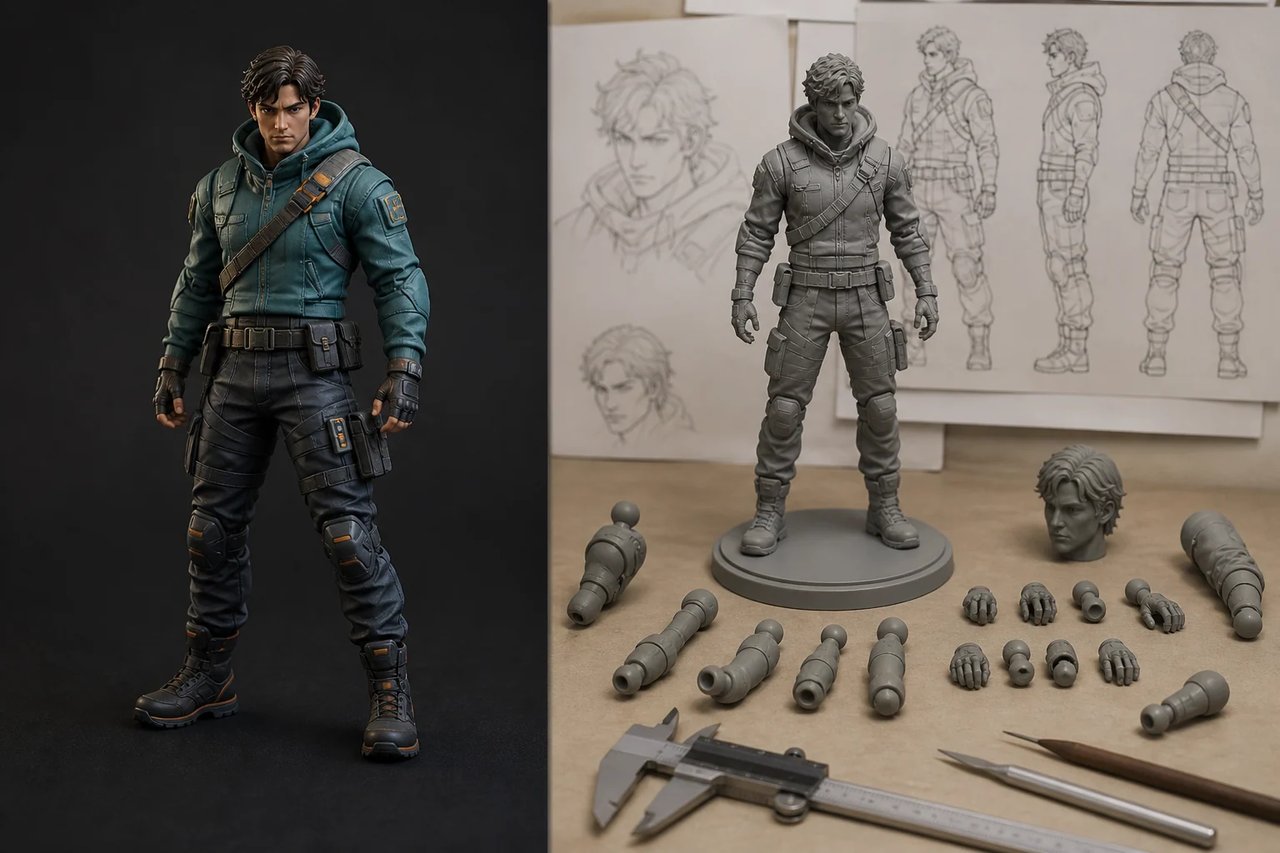
Use the generated image to communicate an idea before deciding how to make it. A personal gift concept, original character, or early product presentation can benefit from a clear visual reference. Turning that image into a physical figure still requires separate modeling, engineering, material choices, and production work.

  1. 01Use the image to explain an original character or digital collectible direction.
  2. 02For a physical version, hand the visual reference to a modeler or fabrication specialist.
A collectible figure concept beside a clay prototype, separated parts, measurement tools, and controlled turnaround drawings for the next production stage.

Practical applications

AI Action Figure Generator Use Cases

Explore a collectible presentation for a personal portrait, a pet, an original character, or a small brand mascot. The output is a concept image to review, share, and develop further.

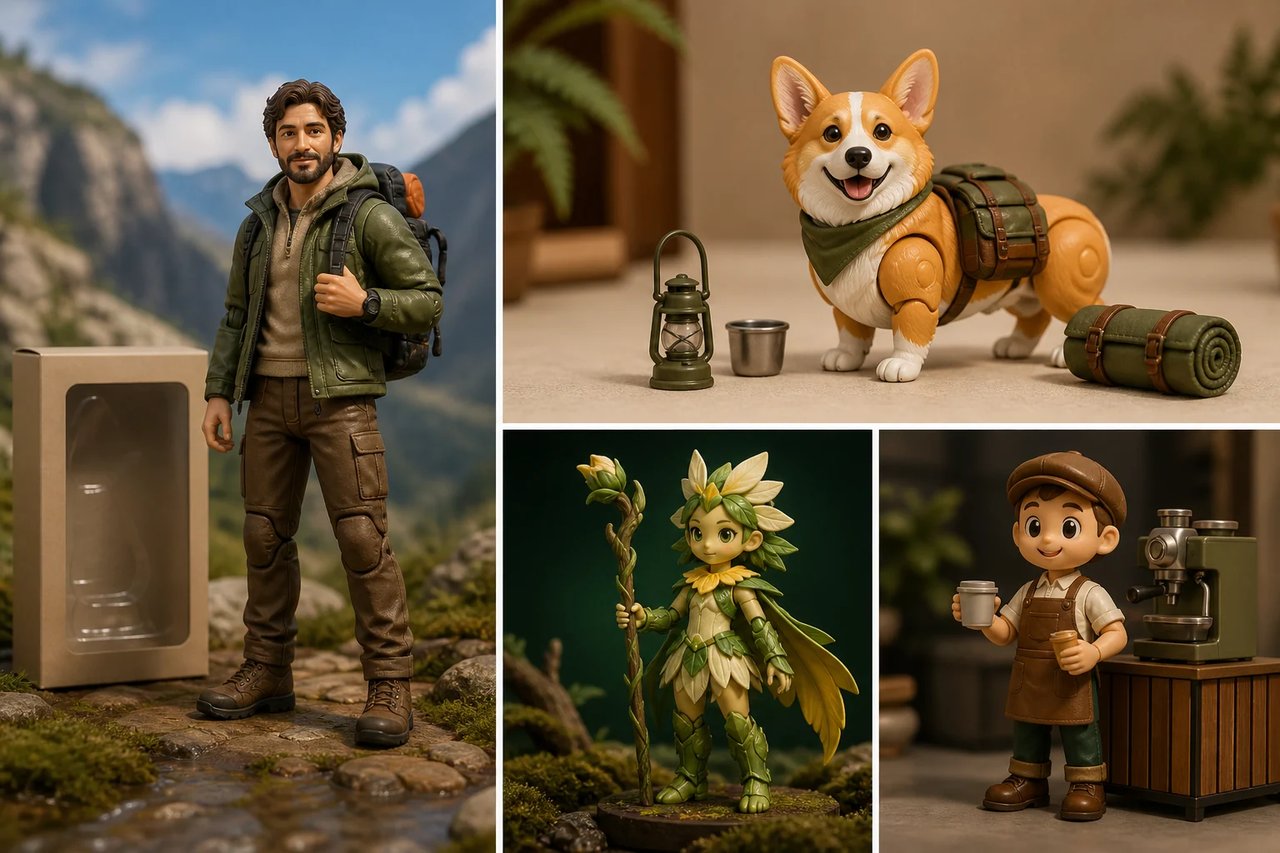
Four AI Action Figure Generator applications: a personalized explorer collectible, a corgi figure, an original fantasy guardian, and an unbranded coffee-shop mascot.
How to create

How to Use the AI Action Figure Generator

One photo, one effect, a result you can save.

The same marine field researcher transformed into an articulated display figure with the original notebook, diving mask, and specimen case.
1

Choose a character reference

Use one photo with a readable face and body outline, clear clothing and only the accessories that define your subject.

2

Review the framing and cost

Leave room around the figure in your source. Check the displayed credits before creating the collectible-style interpretation.

3

Inspect and download

Compare the face, limbs and accessories with the source, then save the toy-concept image for review or presentation.

Create Action Figure

AI Action Figure Generator FAQ

Source-photo preparation, character likeness, accessories and packaging, credit costs, image rights, and using a collectible concept as a visual mockup rather than a production-ready model.

What does the AI Action Figure Generator create?

The generator creates a product-style image of a collectible figure based on the person or character in your photo. The preset asks for recognizable facial and clothing cues, an articulated-toy appearance and a studio presentation. It produces concept artwork rather than a physical object.

How do I use the AI Action Figure Generator in Dola AI?

Upload one clear character photo and review the credit amount. Create the effect, compare the figure with your source and download the resulting image from its card.

Which photo works best for an AI action figure?

Use a photo where the face, body outline and important clothing are easy to distinguish. Give the subject room in the frame and avoid overlapping hands or props. A simple background helps the model focus on the figure rather than inventing accessories from unrelated objects.

Will the AI Action Figure Generator preserve my exact face?

The model is guided to retain recognizable features, but the toy treatment can change proportions, facial detail and clothing. Use the original/result comparison to inspect the face and silhouette. The image should be treated as a creative interpretation, not an exact miniature scan.

Is the AI Action Figure Generator free?

You can browse the examples without credits. Creating an action-figure image uses the cost displayed before submission. Sign in to check your balance; each separate generation is a new request rather than an unlimited free preview.

Why did my AI action figure get extra limbs or random accessories?

Overlapping limbs and ambiguous props can confuse the image model. Try a clearer pose with only the accessories that matter visible in the source. Inspect hands, joints and object placement after generation, even when the packaging and lighting look convincing at first glance.

Is an AI action figure image ready for 3D printing?

The download is a two-dimensional image. It does not include a mesh, STL file, rig or manufacturing measurements. You can use it to communicate a visual direction, but producing a physical figure requires a separate modeling and fabrication workflow.

Can I use an AI Action Figure Generator result commercially?

Use a photo and character design you have permission to work with, and review the result for unwanted logos or copied details. Check the relevant Dola AI terms before using it in a commercial deliverable. The generator does not clear likeness, trademark or other third-party permissions.

Create an AI Action Figure Concept

Start with your photo, explore the effect, and save a result that feels personal.