Skip to content

PS2 Filter

Effect

PS2 FilterStep into an early-2000s game scene
0/1 max

Result

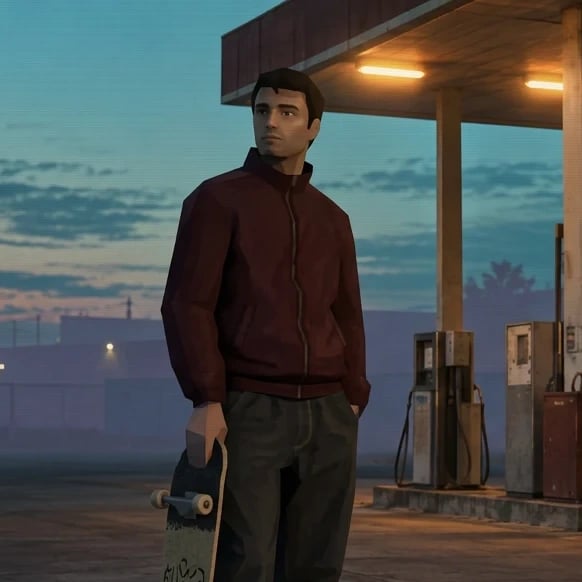
Original adult skateboarder in a burgundy track jacket beside a gas station at twilight.
Early-console game-style rendering of the same skateboarder, track jacket, skateboard, and gas station.

Drag the divider or use the arrow keys to compare the same source photo with its generated result.

PS2 Filter for Retro Characters

A recognizable game-style character starts with a photograph that clearly shows the person or animal. The early-console treatment changes how shapes, materials, and light are rendered, while the original pose provides a useful foundation. These examples explore that direction without asking you to supply a game character design or assemble a three-dimensional scene.

Use the effect for a profile image, a nostalgic visual experiment, or a concept board with an early-2000s mood. Give important clothing and facial features enough room in the source. Review the resulting silhouette, hands, and expression before choosing a favorite. The downloadable output is a still image; it does not include a playable character, a rig, or a game-ready model.
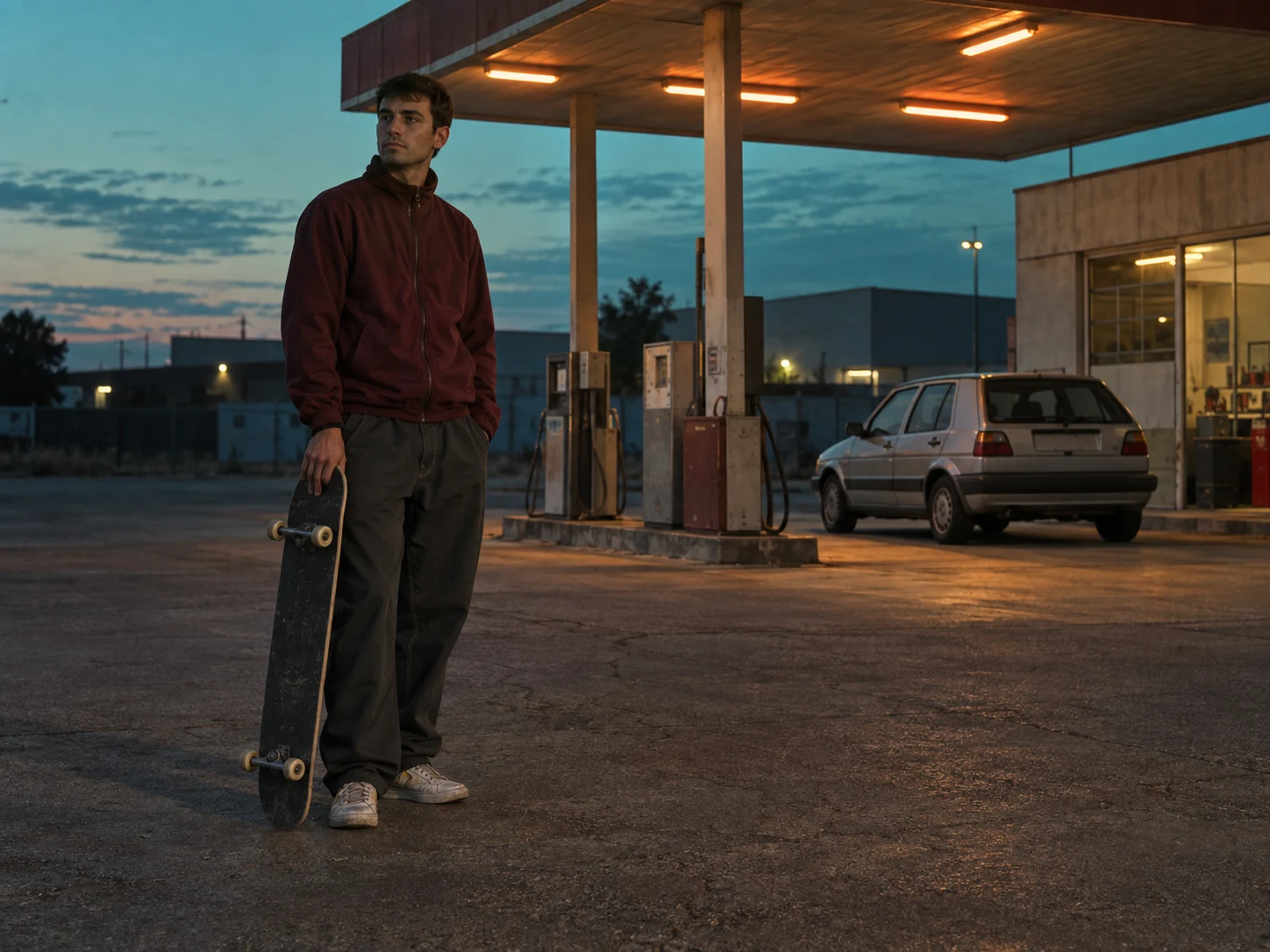
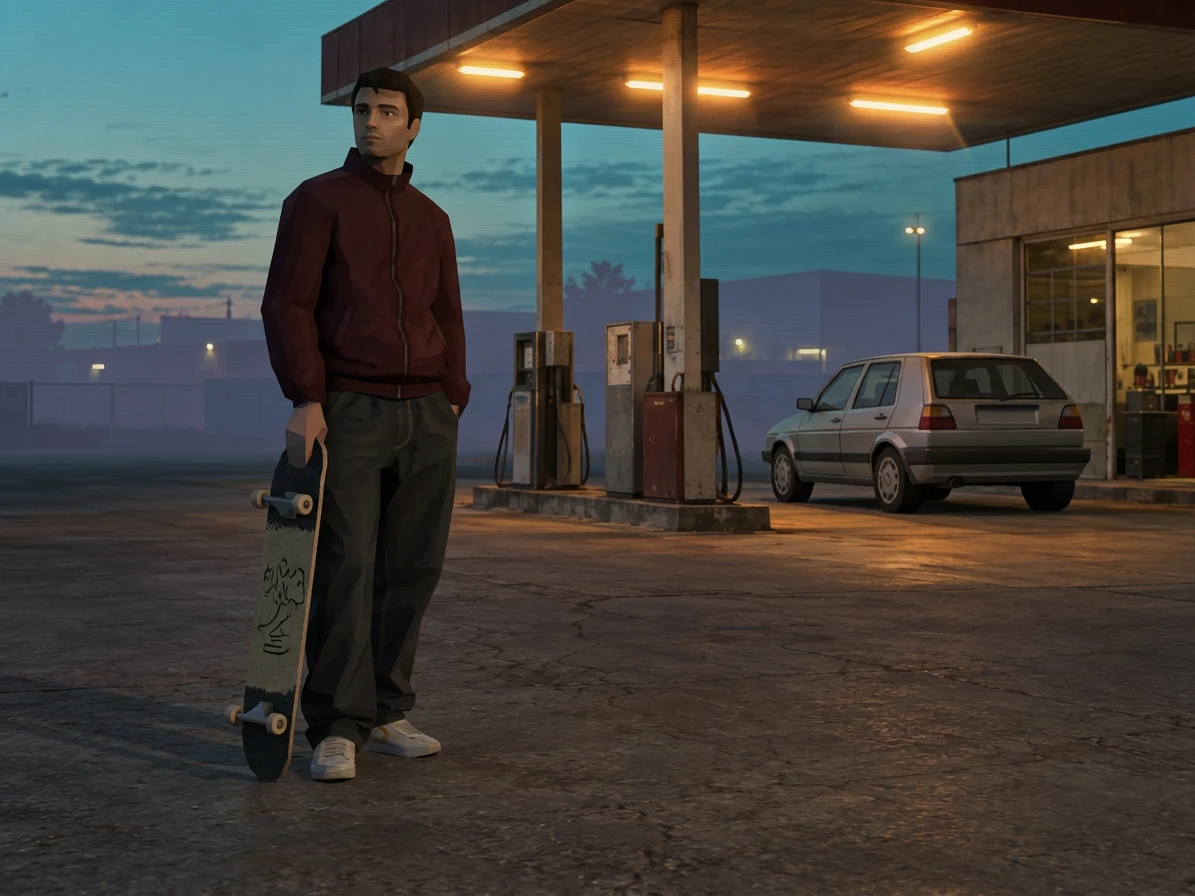
Original adult skateboarder in a burgundy track jacket beside a gas station at twilight.
Early-console game-style rendering of the same skateboarder, track jacket, skateboard, and gas station.

Drag the divider or use the arrow keys to compare the same source photo with its generated result.

A retro character portrait

Compare the subject’s silhouette, scene lighting, and simplified surfaces in this interpretation of an early-console visual style.

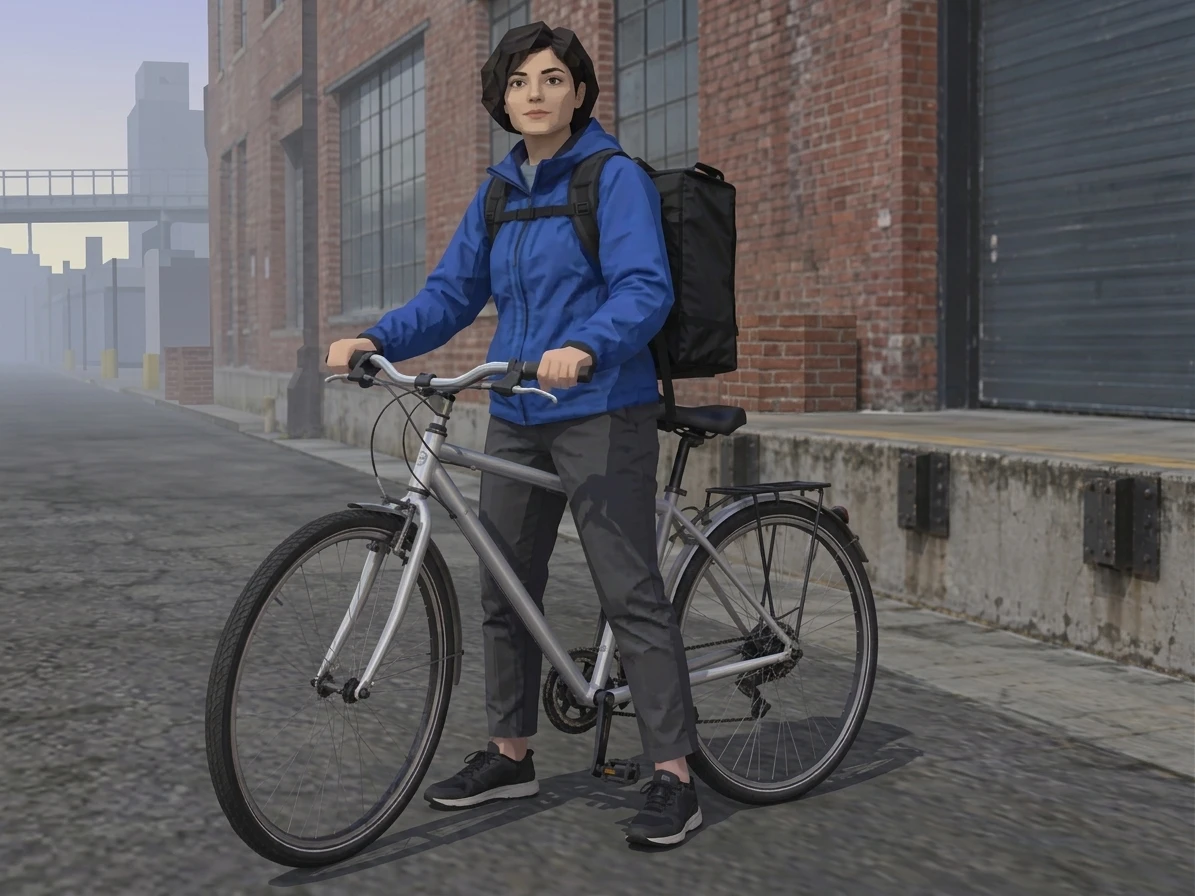
Original adult bicycle courier in a cobalt jacket standing with a silver bike on a city street.
Low-poly game-style courier in a cobalt jacket with a silver bicycle and simplified city surroundings.

Drag the divider or use the arrow keys to compare the same source photo with its generated result.

A character with somewhere to go

Compare the subject’s silhouette, scene lighting, and simplified surfaces in this interpretation of an early-console visual style.
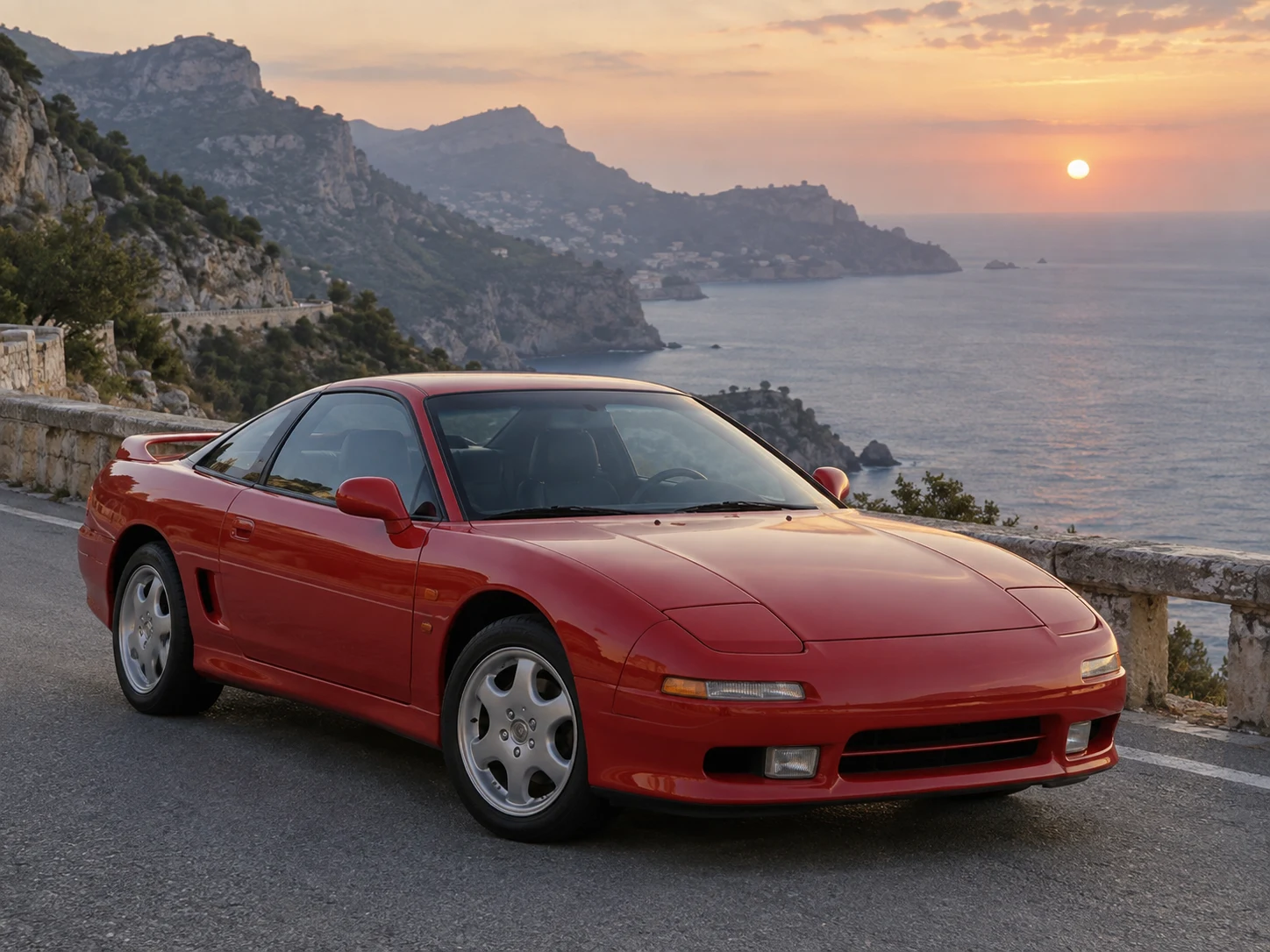
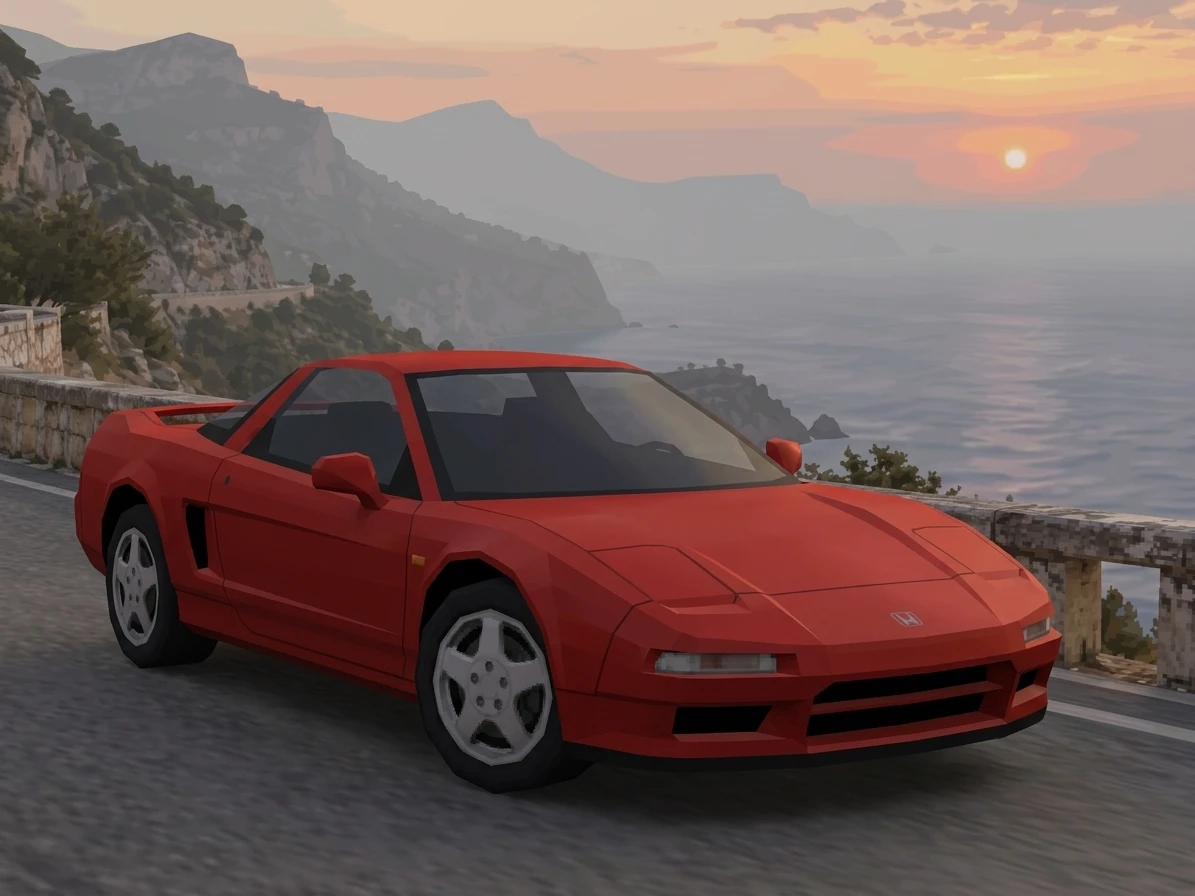
Photo to PS2 Streets and Racing Scenes

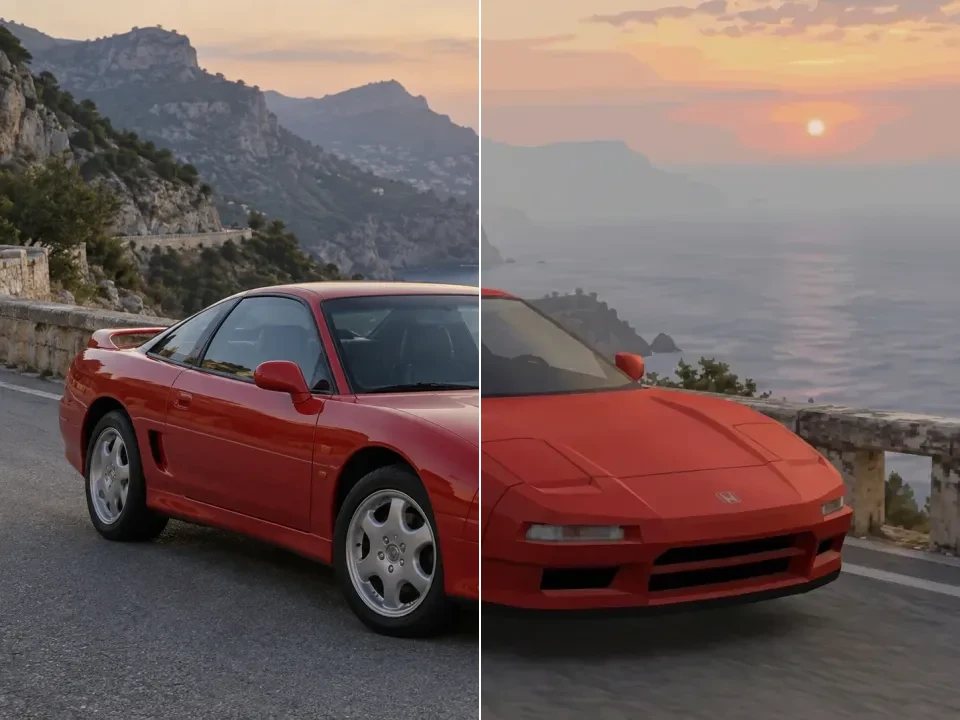
The setting can carry as much of the early-console atmosphere as the character. Road surfaces, building edges, a car silhouette, and a distant skyline give the model larger forms to reinterpret. The street and vehicle references show how lighting and simplified materials can suggest a game scene while retaining the organization of the original photograph.

Choose a street or vehicle photo with a clear focal point and enough surrounding context to establish depth. A readable road edge and distinct horizon help the scene hold together. After generation, inspect repeated windows, wheels, and road markings, where invented details are easier to notice. Keep the version whose framing and mood serve your concept rather than expecting a geometrically exact reconstruction.

Original red sports coupe parked on a coastal mountain road at sunset.
Low-poly game-style red coupe on the same coastal road, with simplified bodywork, wheels, and distant cliffs.

Drag the divider or use the arrow keys to compare the same source photo with its generated result.

A coastal racing scene

Compare the subject’s silhouette, scene lighting, and simplified surfaces in this interpretation of an early-console visual style.
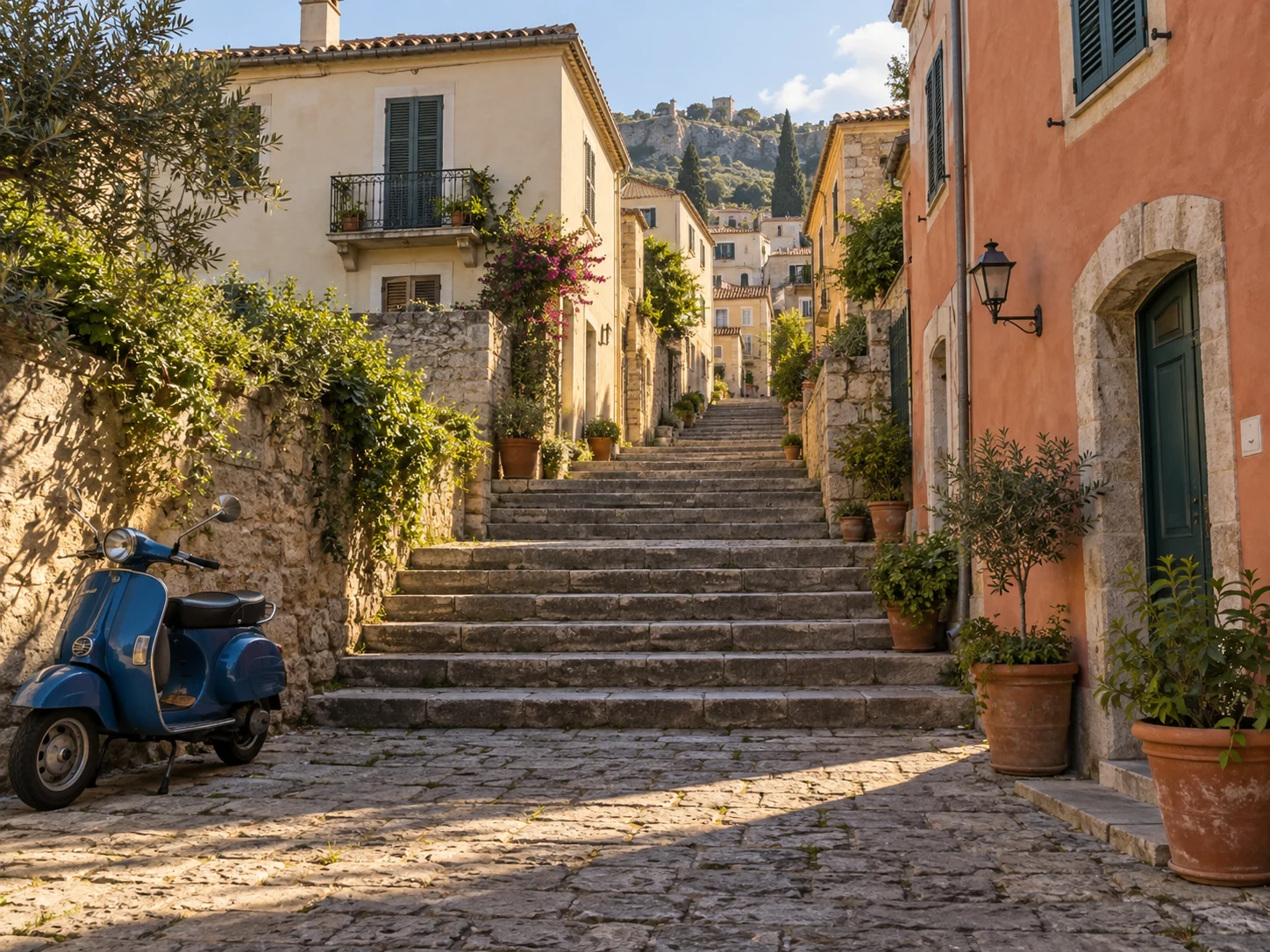
Original Mediterranean stepped street with warm stucco houses, potted plants, and a blue scooter.
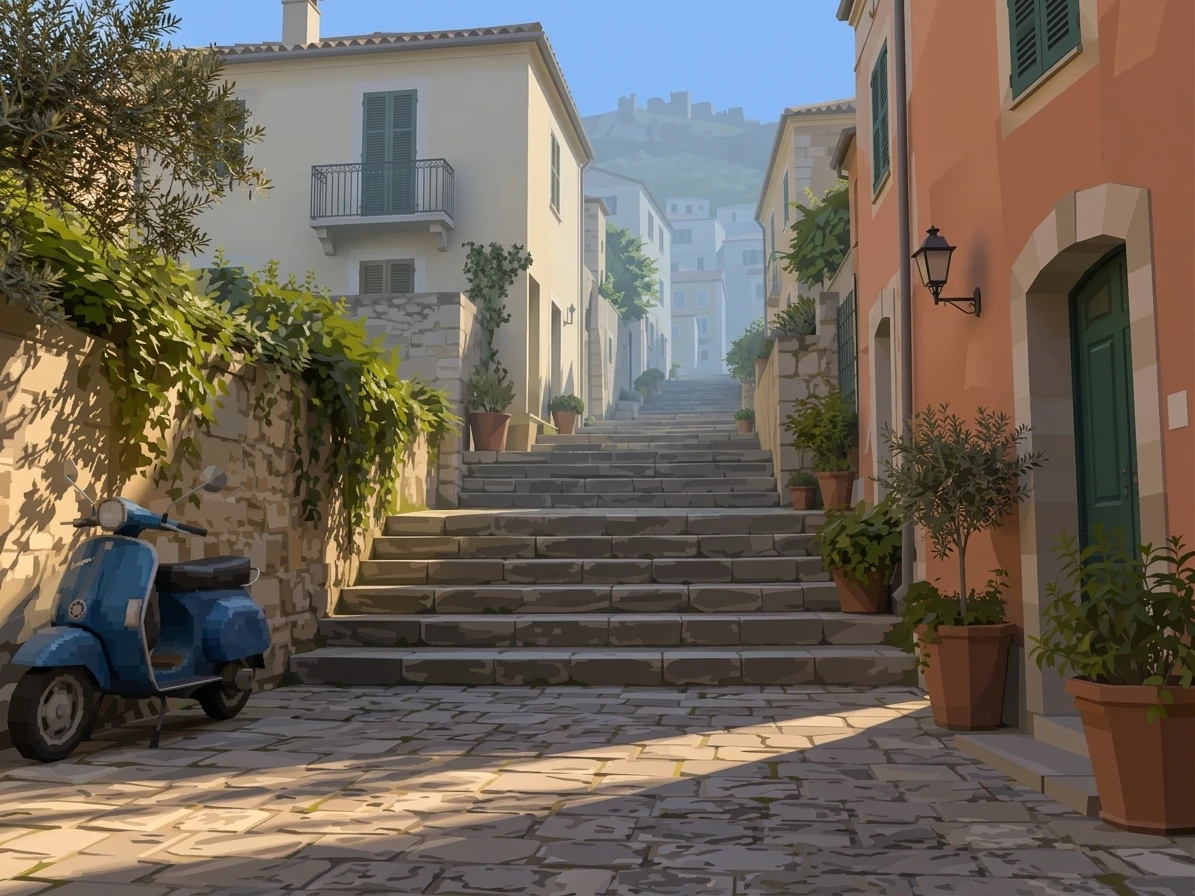
Retro game-style stepped street with simplified stucco buildings, potted plants, and the same blue scooter.

Drag the divider or use the arrow keys to compare the same source photo with its generated result.

Your neighborhood as a game scene

Compare the subject’s silhouette, scene lighting, and simplified surfaces in this interpretation of an early-console visual style.
A Familiar Room, a Game-Like Mood

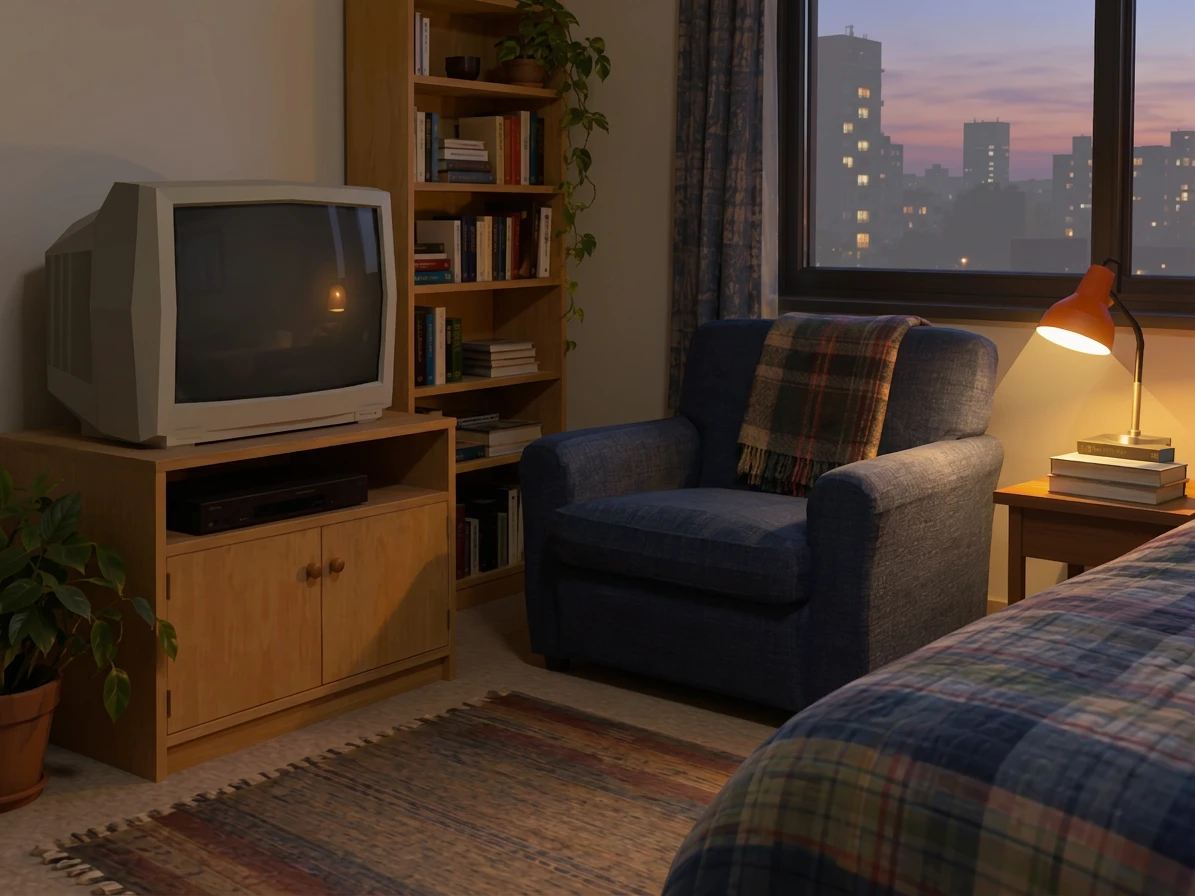
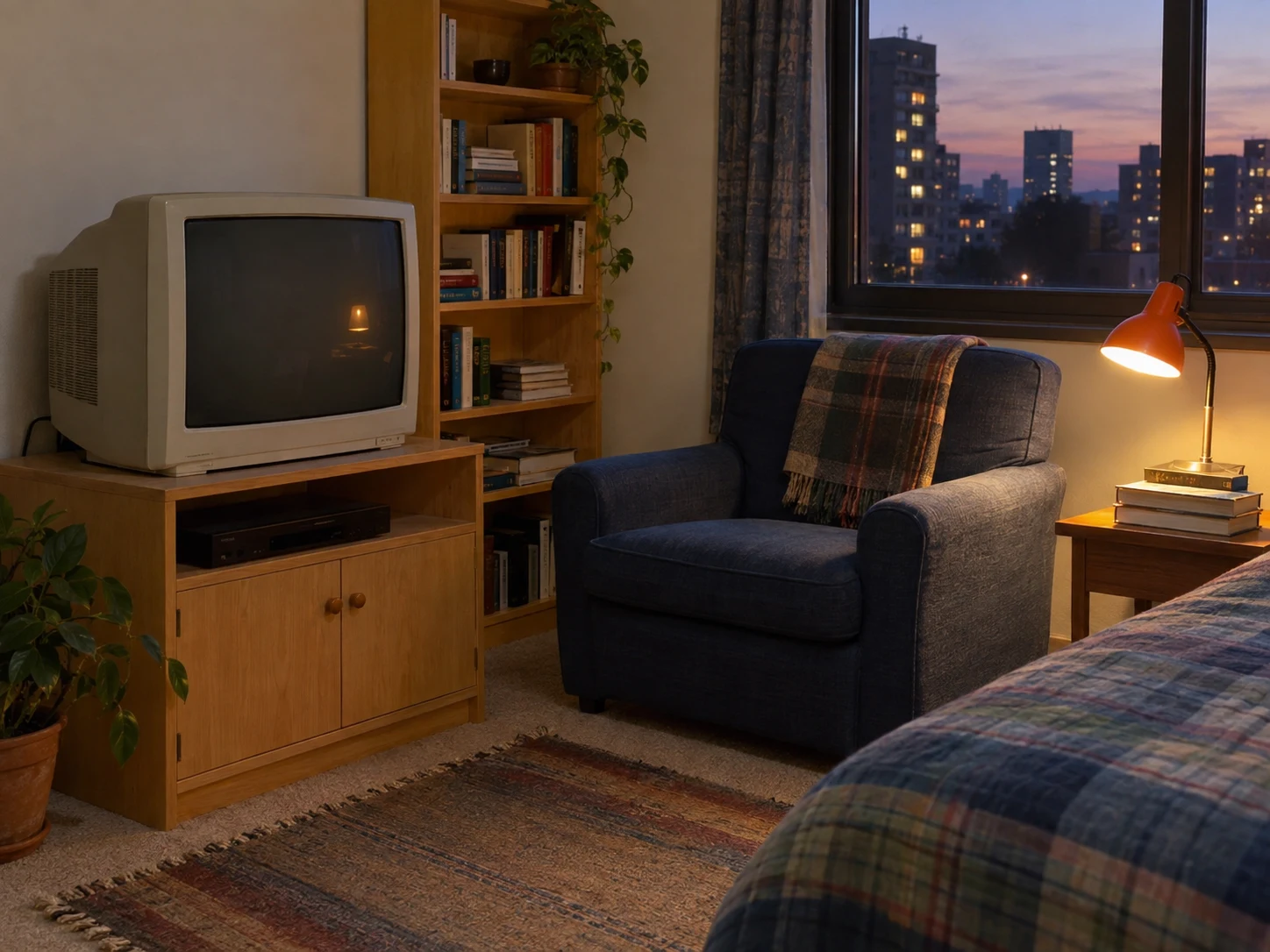
A room offers another way to explore the atmosphere of an older game. Furniture, screens, windows, and small pools of light create a setting even when no character is present. The interior reference keeps attention on those relationships, showing how the treatment can make an ordinary space feel like a frame from a fictional scene.

Try a workspace, bedroom, or reading corner with a few clearly separated objects. Keep the view wide enough to show how the room fits together, but remove clutter that does not contribute to the mood. Compare the position of doors, furniture, and light sources in the output. Use the result as an illustrative scene or concept image, rather than a precise plan of the interior.

Original cozy room with a cream CRT television, blue armchair, orange lamp, and evening city window.
Retro low-poly interpretation of the same room, CRT television, blue chair, lamp, and evening window.

Drag the divider or use the arrow keys to compare the same source photo with its generated result.

A room from another era

Compare the subject’s silhouette, scene lighting, and simplified surfaces in this interpretation of an early-console visual style.
Low-Poly Shapes, Not a Noise Overlay

The early-3D impression comes from the relationship between shapes, texture, and lighting. Grain alone does not describe that look. The detail view makes it easier to judge simplified surfaces and edges, and to see whether they work together as a consistent visual treatment instead of appearing as unrelated artifacts layered over the photograph.

A sharp source remains useful even when you want a deliberately older rendering style. It gives the model a clear subject to simplify. Inspect the result for distortions, particularly around faces, wheels, or straight architectural edges. Select the image that preserves the scene’s strongest features while expressing the desired mood, and remember that this workflow exports a raster still rather than game assets.

Enlarged detail from the first PS2-style result showing simplified 3D facial geometry and painted textures.
How to create

How to Use the PS2 Filter

One photo, one effect, a result you can save.

1

Set up the reference

Choose a photo with a strong subject and some visible surroundings. Avoid very small faces and crowded or overlapping objects.

2

Apply the game-style preset

Review the displayed credits and create the effect. The preset guides texture, lighting and the early-console visual treatment.

3

Review the still artwork

Check the face, silhouette and smaller objects before downloading the image. Keep the original if you want to compare versions.

Create PS2-Style Image

PS2 Filter FAQ

What does the PS2 Filter do to a photo?

The filter creates a still image with a look associated with early console-era 3D graphics. The preset requests simplified textures, game-like lighting and a slightly low-poly feel while keeping the source subject and scene recognizable.

How do I use the PS2 Filter online?

Upload one photo, keep the PS2 preset selected and check the credit cost. Create the image, then inspect the character or object outlines alongside the source. Download the result when the visual treatment suits your project.

Is the PS2 Filter only for selfies?

You can try people, pets, streets, interiors and objects. A clear subject with some visible environment gives the model a useful scene to reinterpret. Fine text and crowded background detail may not survive the game-style treatment.

Does it create a playable game or 3D model?

The output is a rendered image, not an interactive game or a 3D asset. It contains no character rig, scene geometry or game code. Use it as a visual concept or still artwork rather than expecting an editable game environment.

Is the PS2 Filter free to generate?

The examples can be viewed without spending credits. Generating your own image uses the amount shown in the editor. Sign in and check your balance before creating the effect.

Why does the result look too modern or distorted?

Some photos encourage a polished render while others lose detail during stylization. Try a source with a strong silhouette and simpler background. Review the face and small objects carefully, and keep the original as your comparison reference.

Is this an official PlayStation product?

This is a Dola AI creative preset inspired by an era of game visuals. It is not an official PlayStation or Sony product. The generated image is a visual interpretation and does not contain a game, console feature or licensed character pack.

Try PS2 Filter

Start with your photo, explore the effect, and save a result that feels personal.