Skip to content

Photo to Anime Converter

Effect

Photo to AnimeReimagine your photo as anime art
0/1 max

Result

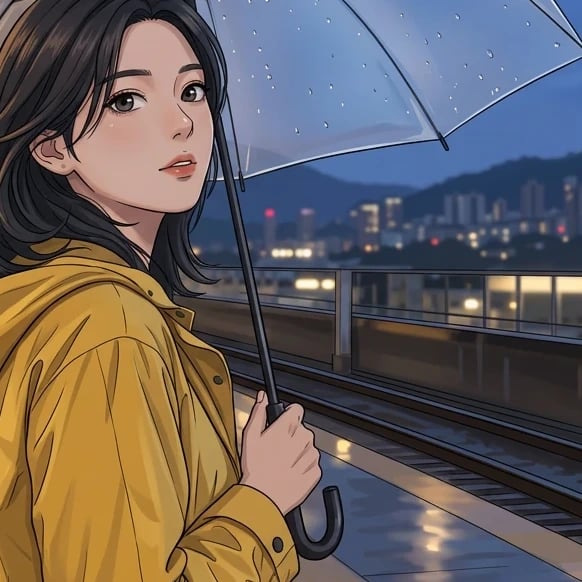
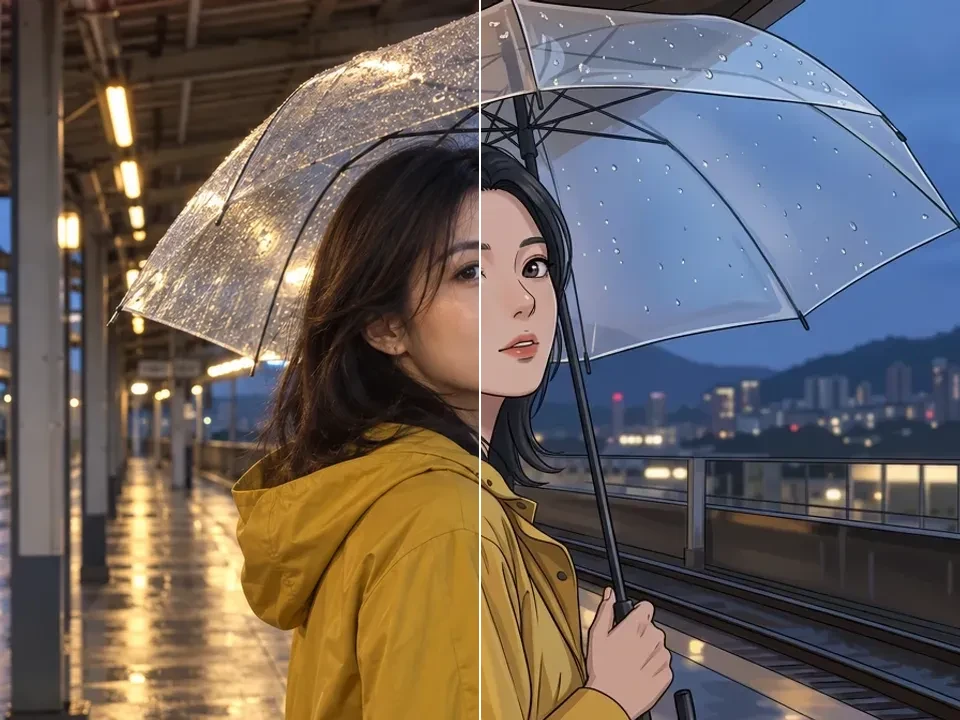
Original adult woman in a mustard raincoat under a transparent umbrella at a wet evening station.
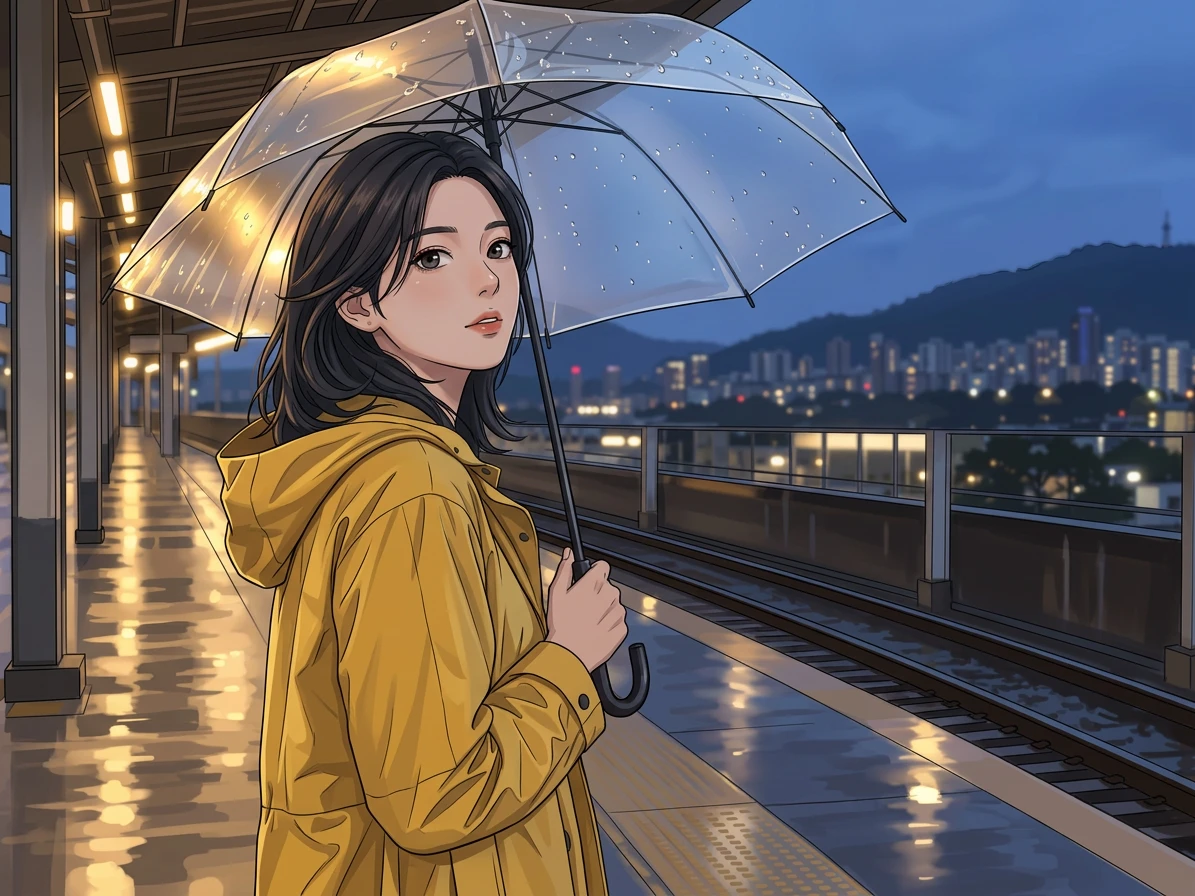
Anime illustration of the same woman, yellow raincoat, transparent umbrella, and rainy station setting.

Drag the divider or use the arrow keys to compare the same source photo with its generated result.

Photo to Anime, Made Personal

An illustrated scene begins with the choices already present in your photograph. In this example, an umbrella, a yellow coat, and reflections on a platform provide a clear visual story. The anime treatment changes linework, shading, and atmosphere while using the person and the setting as the basis for a new interpretation.

Choose a wider photograph when the place matters as much as the subject. For a personal avatar, a closer view can give the face more space and reduce distracting details. Think about the eventual crop before uploading, then compare the generated illustration with the source. Look for a result that carries the mood you intended as well as recognizable visual cues.
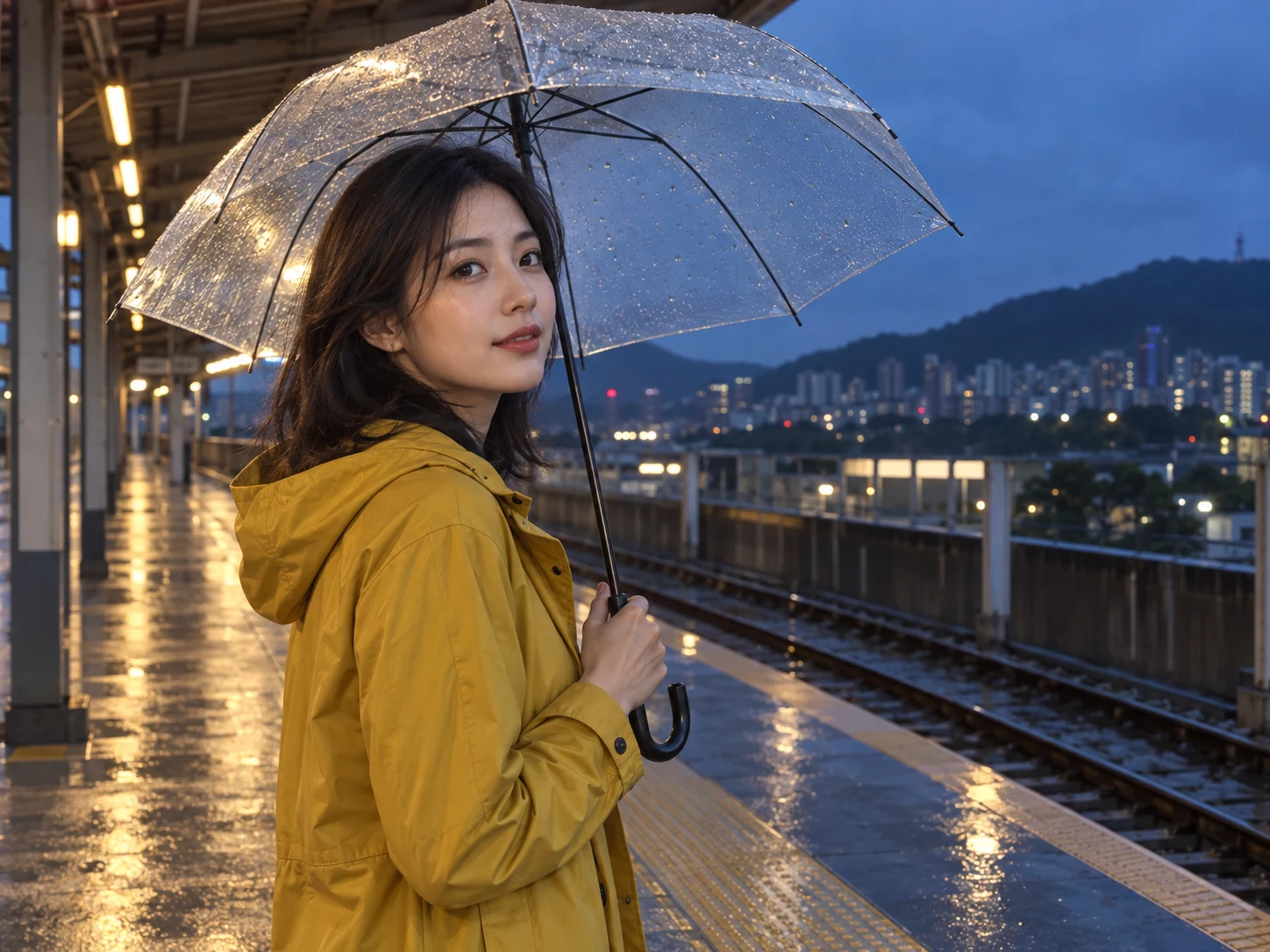
Original adult woman in a mustard raincoat under a transparent umbrella at a wet evening station.
Anime illustration of the same woman, yellow raincoat, transparent umbrella, and rainy station setting.

Drag the divider or use the arrow keys to compare the same source photo with its generated result.

An avatar that starts with you

Compare the character, expression, and surrounding light as the photograph is reinterpreted with illustrated contours and painted shading.
Anime Portraits from Your Photo

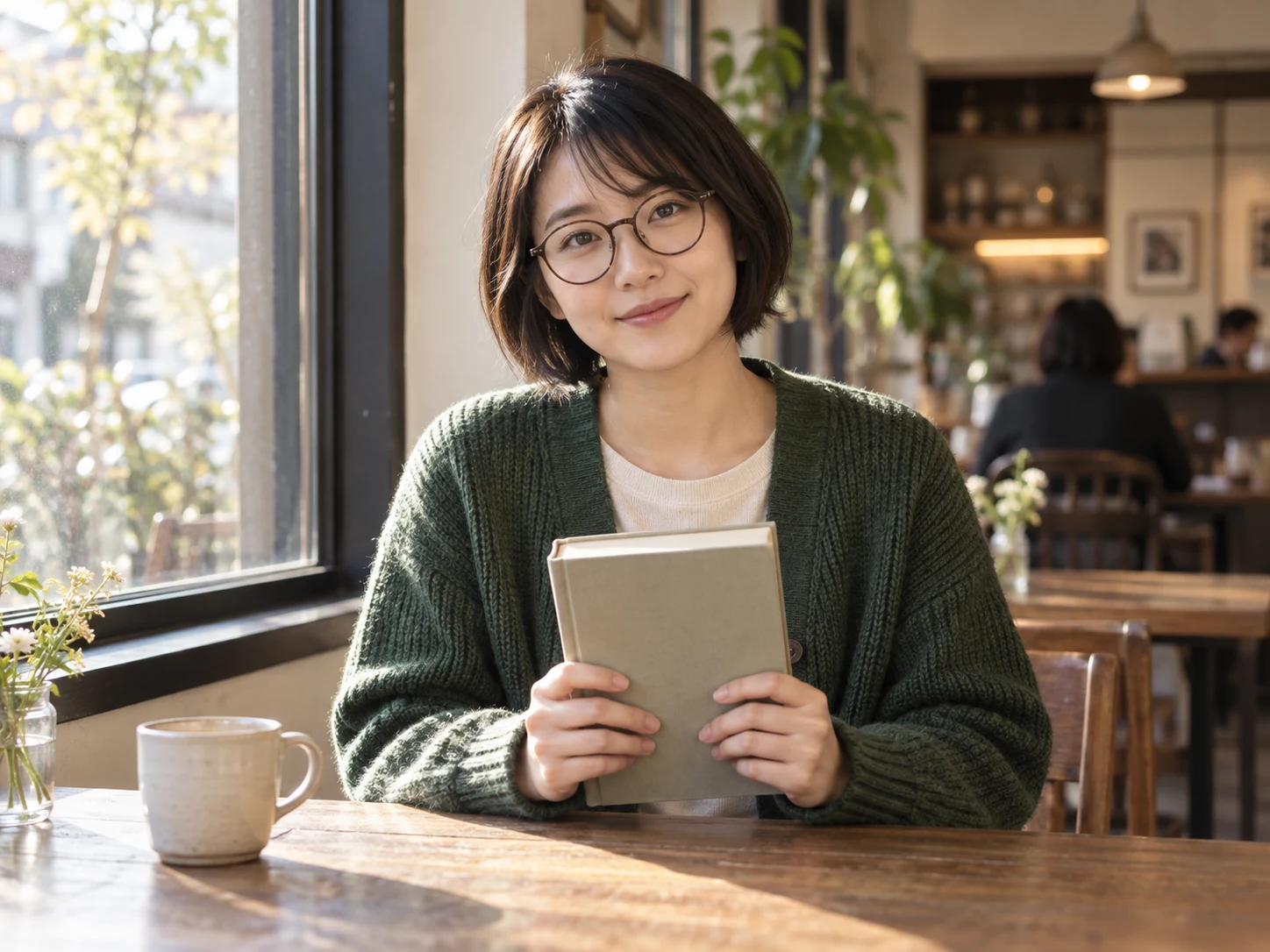
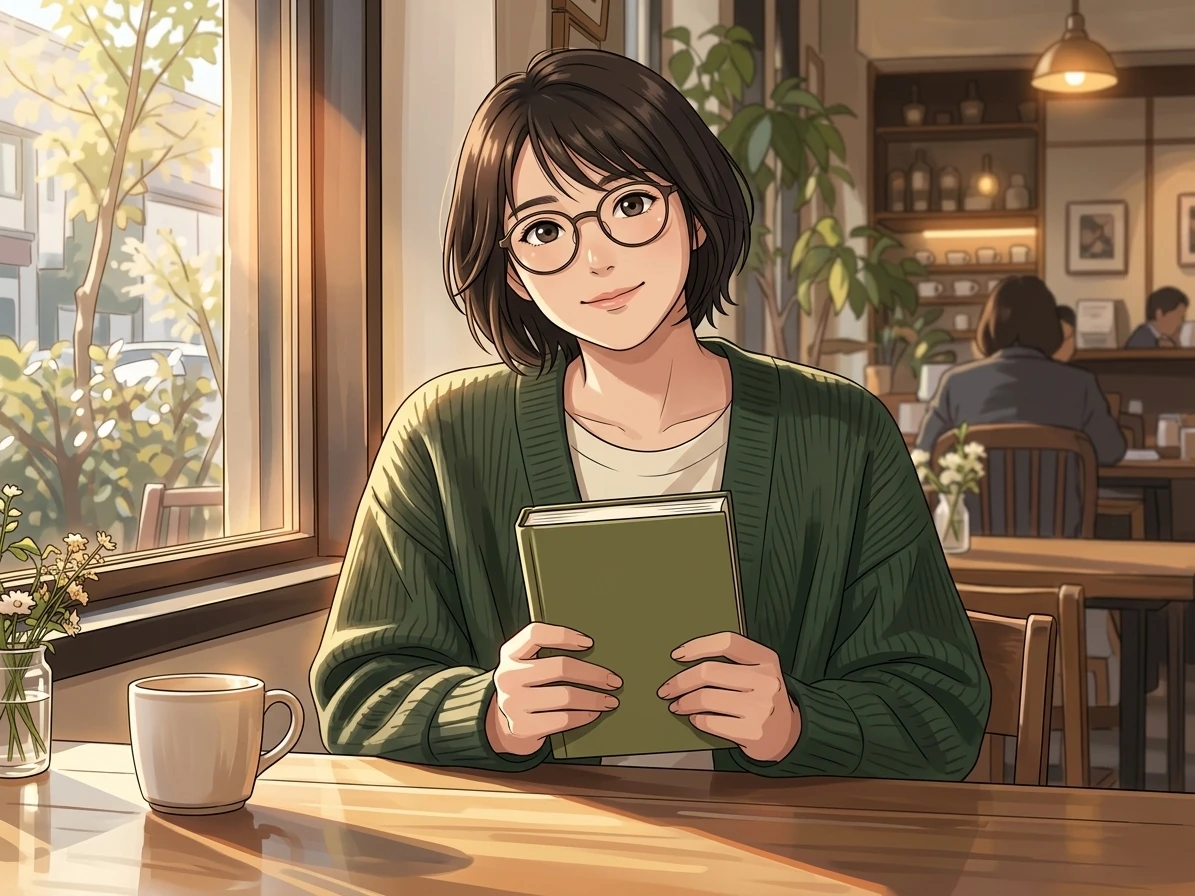
A useful portrait reference includes more than a face. Hair shape, glasses, clothing, and an object held in the hands can all contribute to the character of an illustration. The reading scene gives the preset several clear details to work with, making the result feel connected to a particular person and moment.

Leave enough room around the head and shoulders if you plan to turn the output into a circular profile picture. Soft, even light helps the eyes remain visible behind glasses, while a simple pose makes hands easier to interpret. The preset supplies the anime direction automatically. Your source photograph determines the expression, framing, and personal details that deserve attention in the result.

Original adult woman with a short bob, round glasses, and a green cardigan holding a book at a cafe.
Anime portrait of the same reader with her bob haircut, round glasses, green cardigan, and book held in both hands.

Drag the divider or use the arrow keys to compare the same source photo with its generated result.

Small details, personal character

Compare the character, expression, and surrounding light as the photograph is reinterpreted with illustrated contours and painted shading.
Pets and Shared Moments in Anime

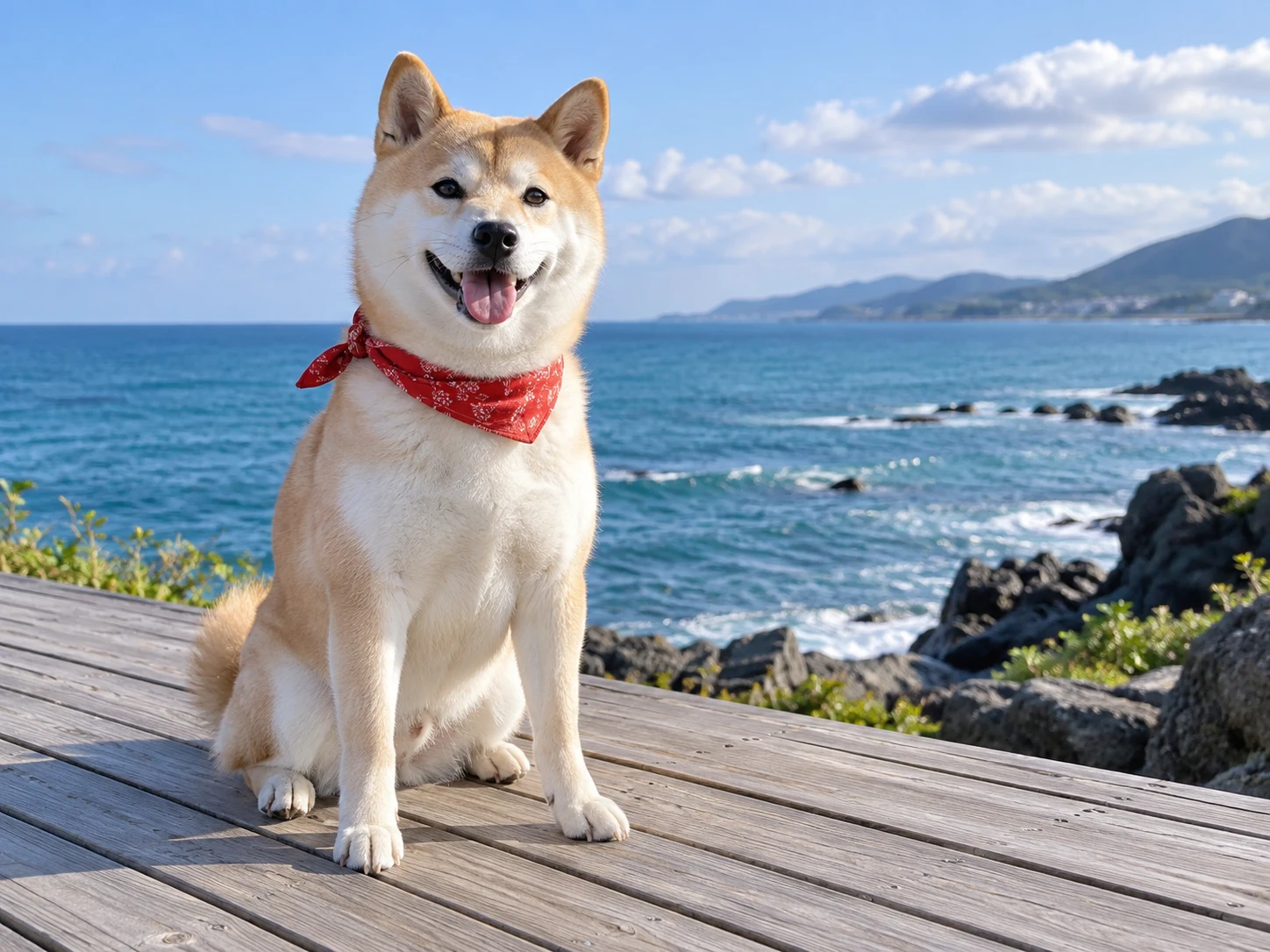
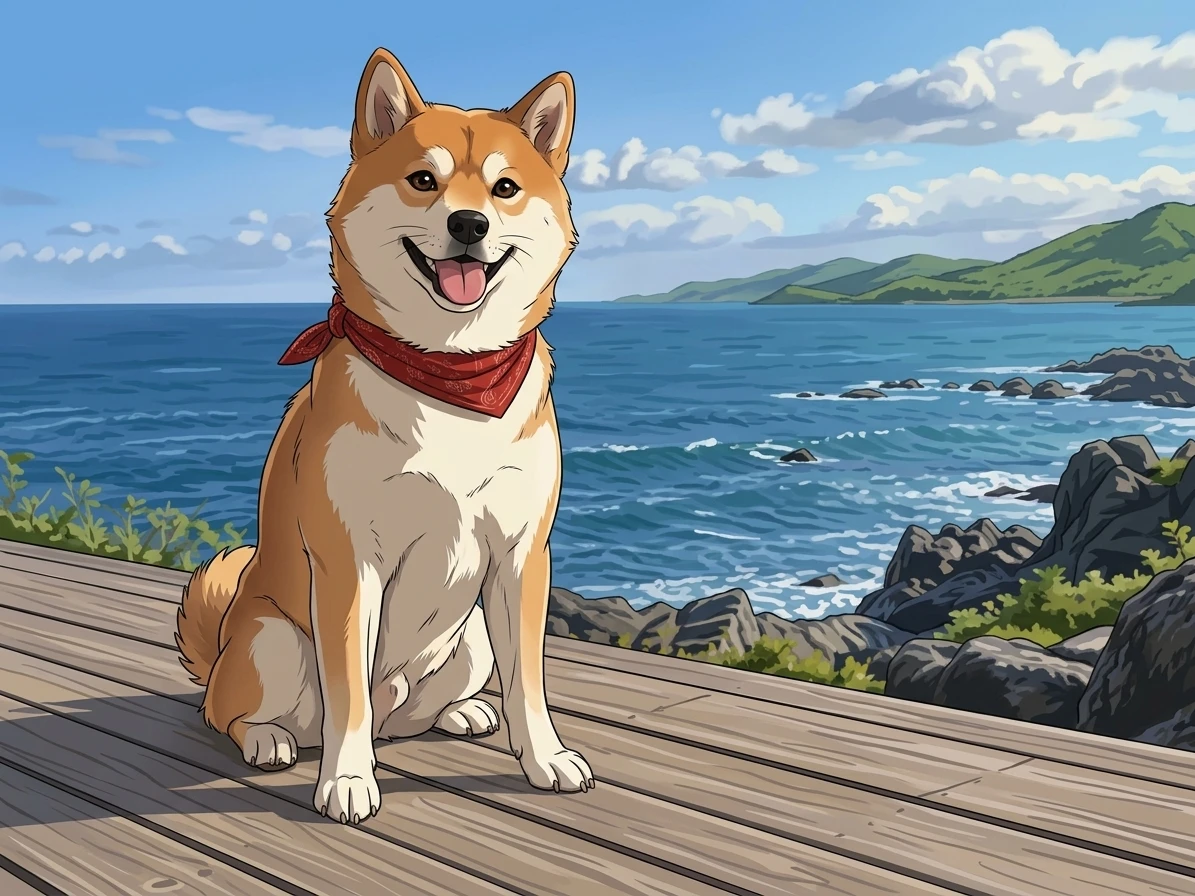
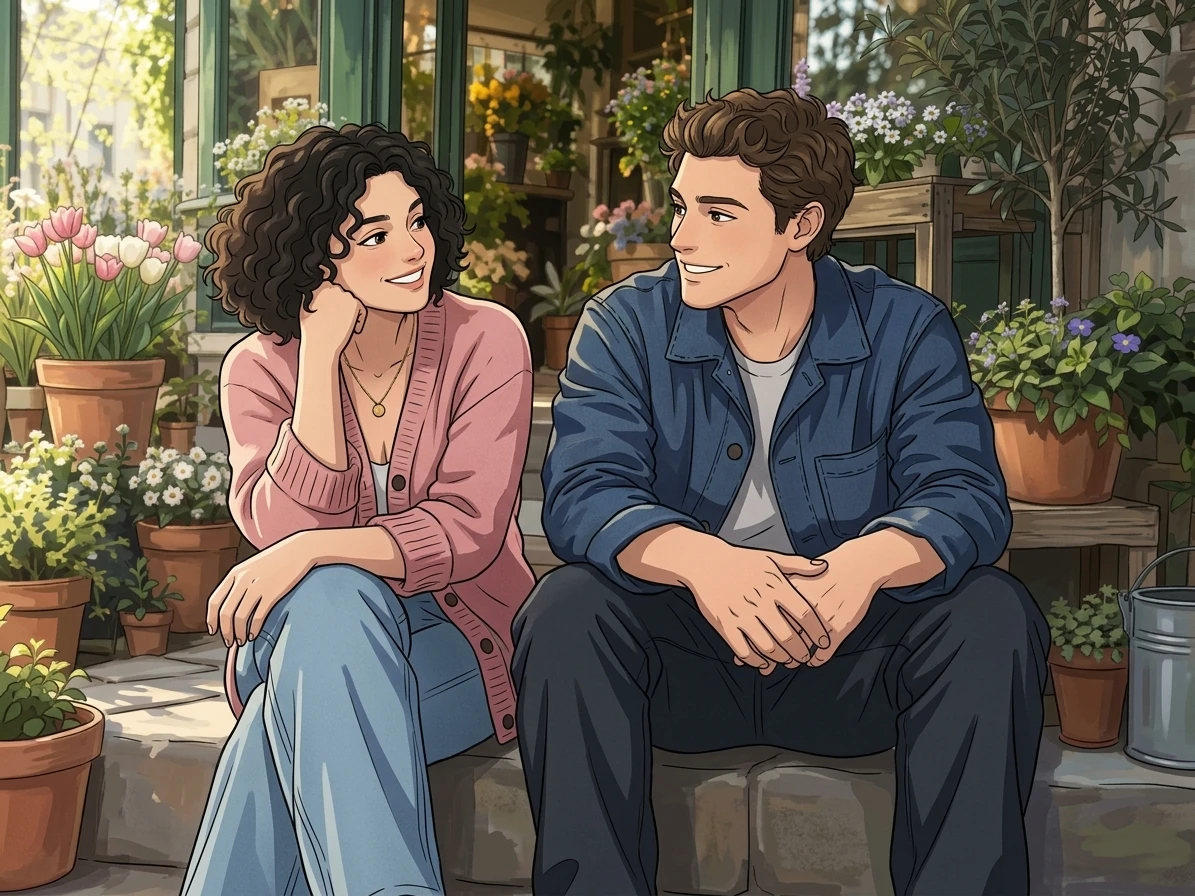
An anime-inspired image can feature an animal or a shared memory as naturally as a solo portrait. A scarf and distinctive ears give a pet recognizable cues. With two people, their placement and gestures become equally important, because the composition needs to preserve the feeling of a moment they are sharing.

These references move between a seaside pet portrait and friends outside a shop. Each setting contributes color and atmosphere without replacing the subjects. For your own group image, keep faces large enough to see clearly and avoid overlapping hands near them. Review every person or animal independently after generation, then judge whether the scene still communicates the relationship you wanted to keep.

Original cream Shiba Inu wearing a red scarf on a wooden seaside boardwalk.
Anime illustration of the same Shiba Inu with its red scarf, upright ears, and blue ocean backdrop.

Drag the divider or use the arrow keys to compare the same source photo with its generated result.

Give your pet an illustrated role

Compare the character, expression, and surrounding light as the photograph is reinterpreted with illustrated contours and painted shading.
Original photograph of two adult friends in pink and navy clothing outside a flower shop.
Anime illustration of the same two friends, their clothing, relaxed poses, and surrounding flowerpots.

Drag the divider or use the arrow keys to compare the same source photo with its generated result.

Shared moments, illustrated

Compare the character, expression, and surrounding light as the photograph is reinterpreted with illustrated contours and painted shading.
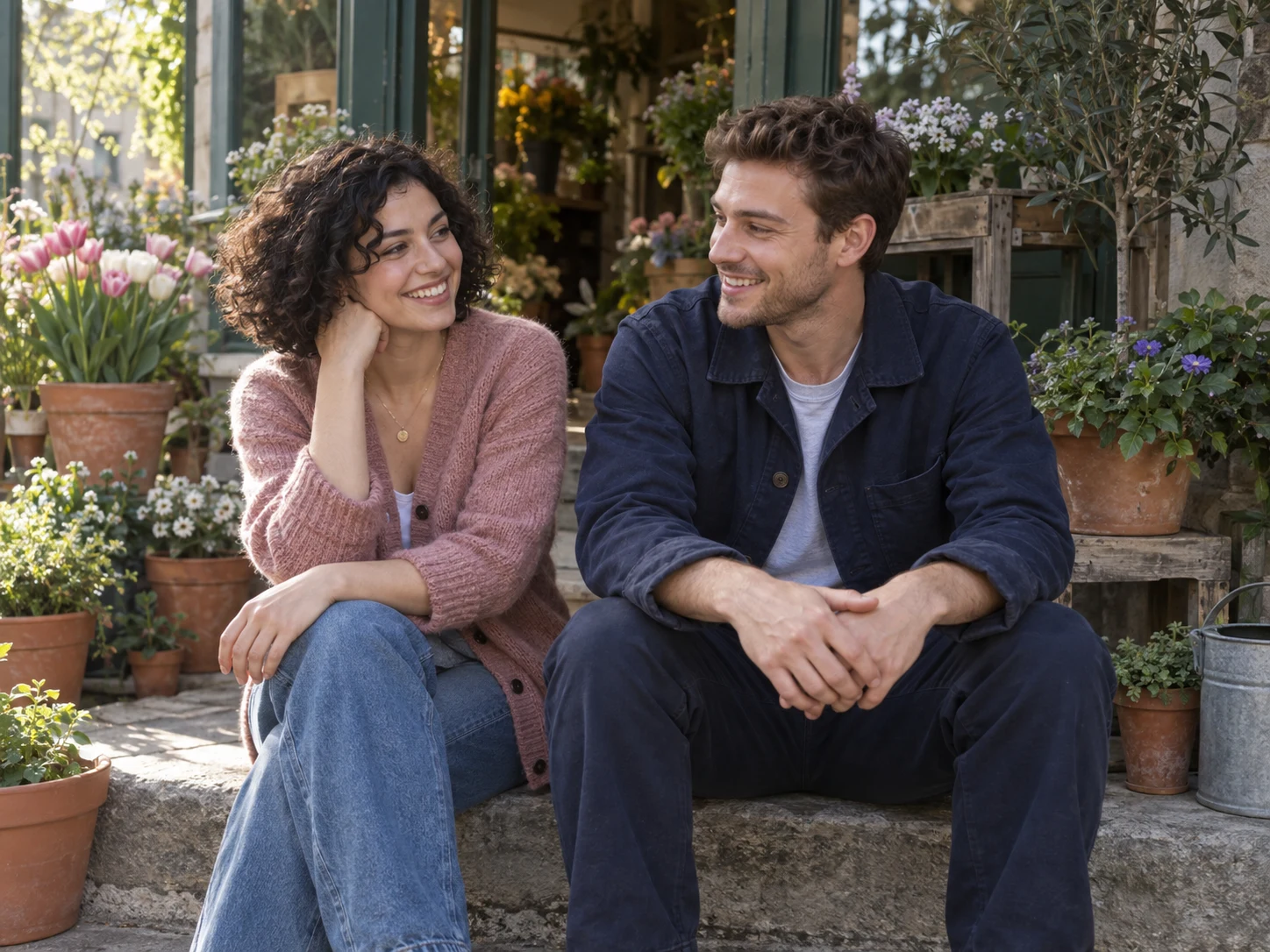
Photo to Anime Backgrounds

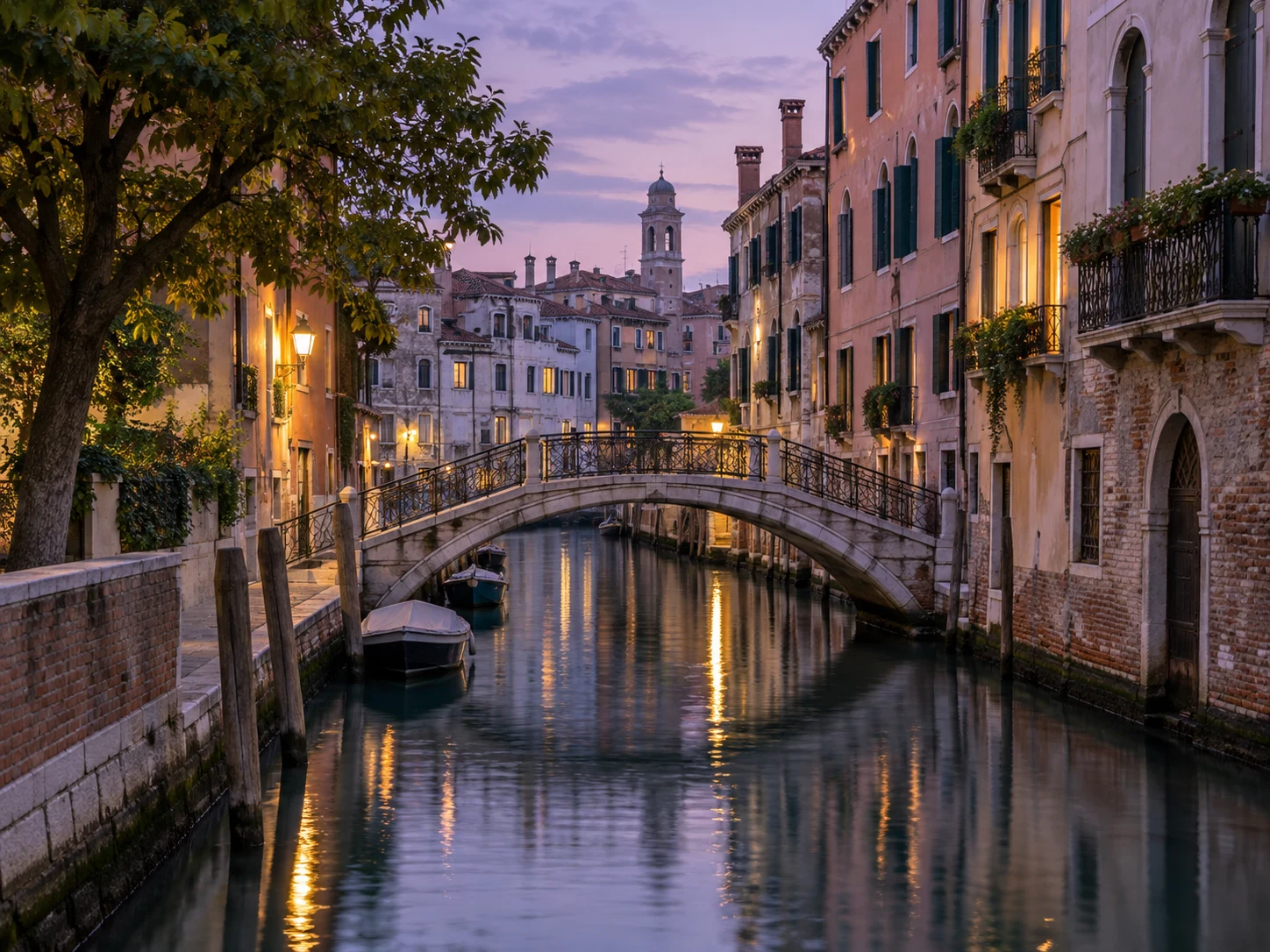
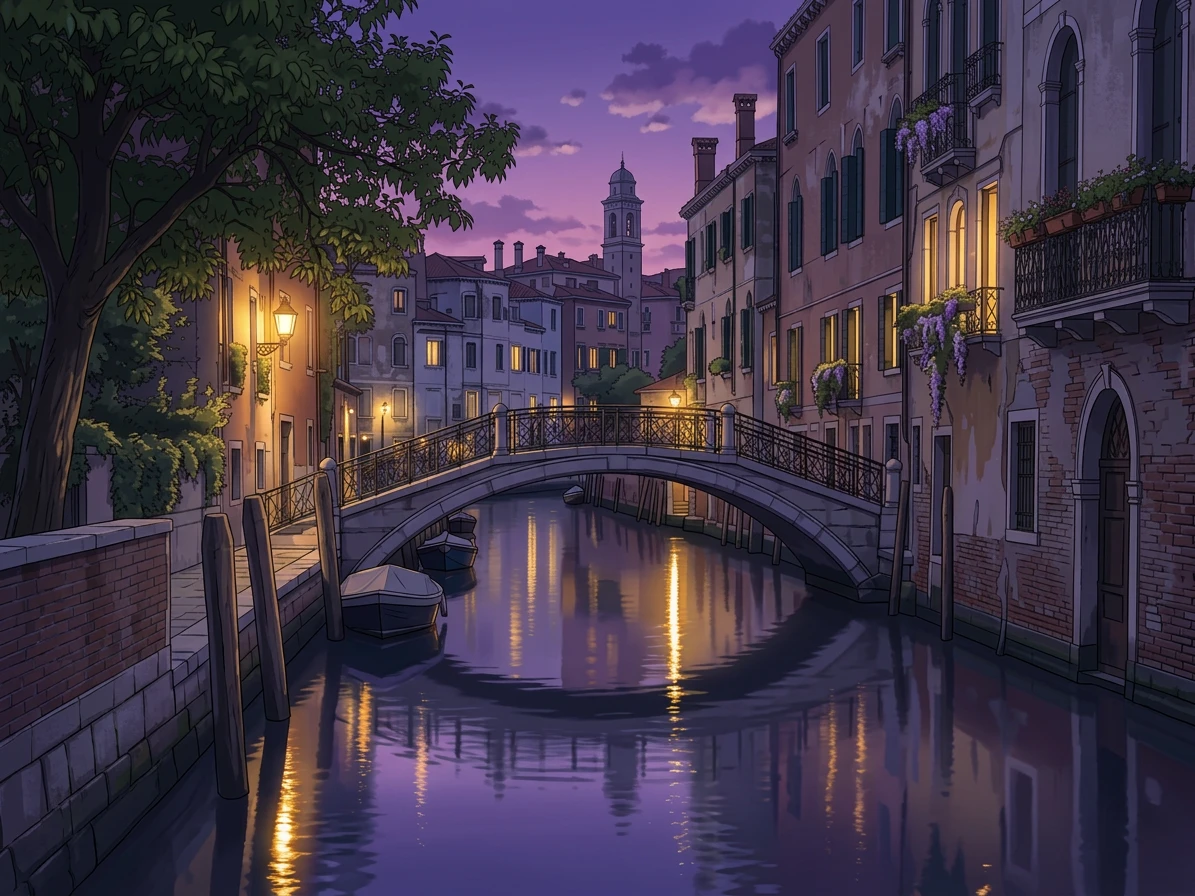
A photograph of a place can become an illustrated environment without adding a central character. The canal reference is built around rooflines, a bridge, illuminated windows, and reflections. Those features give the image model a structure to reinterpret, while the anime treatment brings a different balance of color, edges, and painted light.

Use a travel view, a familiar street, or another location that already has a readable composition. A clear horizon and distinct building shapes are more helpful than a distant collection of tiny details. The result can work as a personal wallpaper, journal image, or visual starting point for a story. Treat changes to architecture as part of the interpretation rather than a faithful survey of the place.

Original blue-hour photograph of a canal, arched bridge, and narrow European houses with warm window lights.
Anime-style canal scene with the same bridge, waterside houses, blue-hour sky, and warm reflections.

Drag the divider or use the arrow keys to compare the same source photo with its generated result.

A familiar place, a painted world

Compare the character, expression, and surrounding light as the photograph is reinterpreted with illustrated contours and painted shading.
Details That Make the Character Yours

The strongest character details are often easiest to judge close up. Hair edges, gaze, clothing folds, and the transition between light and shadow all contribute to a coherent anime portrait. This detail view makes those decisions easier to inspect than the small preview, where attractive color can hide problems in the drawing.

Keep meaningful accessories and the hairstyle fully inside the source frame. Very small faces, hidden eyes, and crossed fingers give the model less information to work with. When reviewing your result, compare those areas before focusing on polish. The aim is a personal illustrated interpretation; it does not guarantee an exact likeness, and the preset does not ask for a named character from an existing series.

Enlarged detail of the first anime portrait result, showing original hair shape, expressive eyes, and cel shading.
How to create

How to Turn a Photo into Anime

One photo, one effect, a result you can save.

1

Upload your photo

Upload a sharp portrait or scene with the important faces, hands, clothing and surroundings clearly inside the frame.

2

Create the effect

The anime-inspired directions are already set. Check the displayed credits and submit your photo to create one still image.

3

Review and download

Compare recognizable features and fine details with the source, then download the illustration for your chosen project.

Create Anime Image

Photo to Anime Converter FAQ

What does the Photo to Anime Converter do?

The converter creates a single illustrated image from your reference photo. Its preset asks for clean contours, painted lighting and an anime-inspired finish while retaining the subject, clothing, setting and broad composition.

How do I turn a photo into anime?

Add one portrait, pet photo or scene, check the credit cost and choose Create. The illustration directions are already supplied by the preset. Once the result appears, compare it with the source and download the image you want to keep.

Will the anime image still look like me?

The model is asked to keep recognizable details, but a stylized portrait can change facial proportions, hair or expression. A clear face and uncluttered framing give it a better reference. Check the finished likeness before sharing it.

Can I convert pet or landscape photos?

The preset can be applied to animals, landscapes and everyday scenes as well as portraits. Use a well-defined subject and clear lighting. Very busy images may lose small background details when they are translated into illustration.

Is the Photo to Anime Converter free?

You can view this page and its examples without using credits. Each generated image uses the cost displayed in the editor. A signed-in account and sufficient balance are required to create a result.

Why did the face or hands change?

AI illustration can reinterpret features that are small, hidden or overlapping. Try a sharper source with visible hands and a clear face. Inspect those areas with the source/result slider, because a convincing overall style can still contain local mistakes.

Does this create an animated anime video?

This page produces a still illustration. It does not add movement or create an anime clip. The downloaded image can be used as a reference for a separate video workflow if you want to explore motion afterward.

Try Photo to Anime Converter

Start with your photo, explore the effect, and save a result that feels personal.