Keep the subject readable
An uncluttered outline helps a pet, face, or object stay recognizable when the illustration is displayed at a small size.
A small design with a clear silhouette
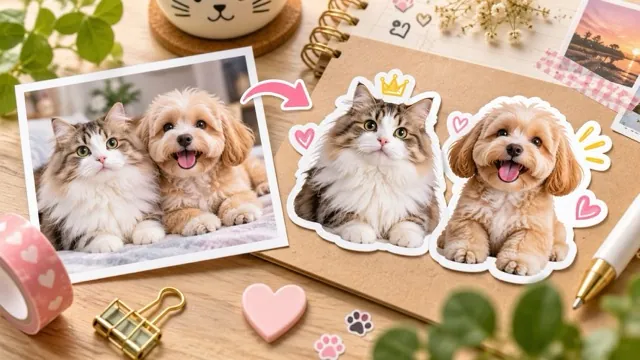
Turn a portrait, pet, or object into a sticker-style illustration. Create the artwork first, then use Background Remover if you need a transparent PNG.
Start creatingUpload one clear photograph with the whole subject visible.

Make it yours
Upload one clear photograph with the whole subject visible. Review the credit quote before you create.
Create your first masterpiece to see it appear here.
Two separate steps: sticker artwork, then optional background removal.
Creative direction
An uncluttered outline helps a pet, face, or object stay recognizable when the illustration is displayed at a small size.
The first result is artwork. Download it and use Background Remover for a transparent PNG, then inspect the outside edge and white border.
A starting point
Transform the uploaded subject into one cheerful die-cut sticker illustration. Preserve recognizable identity, silhouette and key colors. Use clean bold contours, a restrained palette, a consistent white outline and a plain light background. Keep the entire subject inside the frame. No lettering, logos, checkerboard pattern, extra subjects or watermarks. This is sticker artwork, not a transparent cutout.
From idea to download
Use a sharp source with room around hair, ears, handles, or other important edges.
Review the displayed credits, create the illustration, and check that the outline has not clipped the subject.
If needed, upload the accepted artwork to Background Remover. This is a separate generation with its own displayed cost.
Before you create
No. This page makes sticker-style artwork on a plain background. Background Remover is the separate second step for a transparent PNG.
Yes. A clear face and complete ears or paws give the illustration a useful outline. Review markings and small features before downloading.
No. The output is a raster image. Your printer may require a separate cut path, bleed, or color preparation.